Automations Product
ROLE
Timeline
Team
1 Designer, 1 Product Manager, 5 Engineers
My Role
As the sole product designer for this project, I was responsible for the end-to-end design process, including conducting user research, performing usability testing, and creating wireframes and prototypes. I led the design efforts independently, ensuring a seamless and user-centered experience throughout.
The Challenge
The current version of our communication and data automation product aimed to boost student retention through automations that staff and admins could create and send. However, the platform's limited and hard-to-navigate automation options lacked flexibility and clarity, making it difficult for users to build effective workflows. This led to frustration among clients, who began to churn due to the product’s inability to meet their needs for customizable and impactful automation to support student success.
The Solution
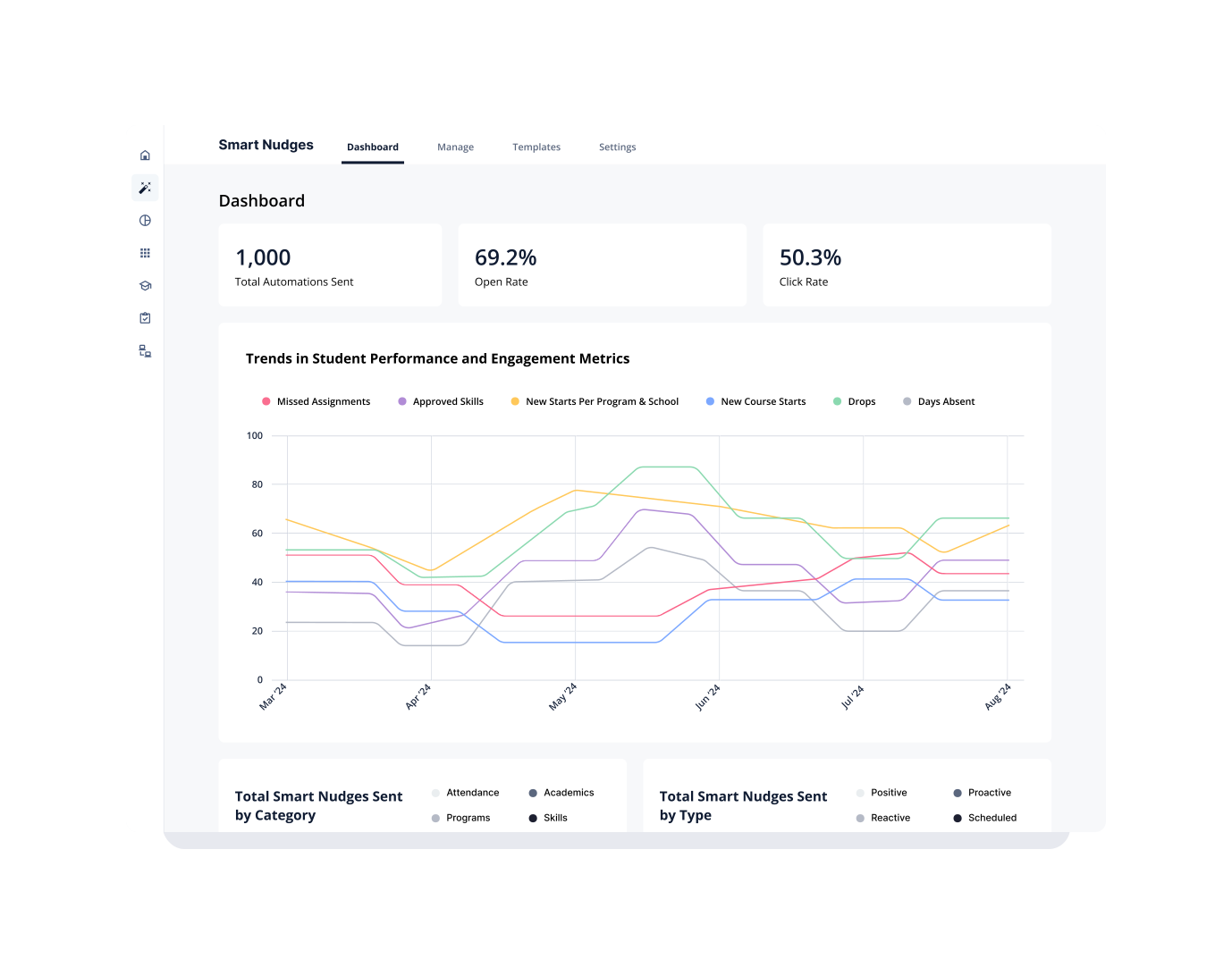
We redesigned and rebranded Cortex into Smart Nudges, offering a user-friendly platform for admins to easily create automations. The new product includes a comprehensive library of nudges, filterable by type (positive, reactive, proactive) and category (course, program, assignment), allowing for tailored student interventions. Additionally, Smart Nudges features an intuitive dashboard that tracks nudge performance, including open and click rates, enabling staff to measure and optimize their impact on student success. This upgrade enhances user satisfaction and reduces churn.
Discovery
I facilitated meetings to gain a deeper understanding of the challenges faced by clients at risk of churning due to issues with the automations product.
Key findings:
Event Trigger Search Issues
Administrators struggled with finding specific event triggers when creating automations due to the absence of a search function and reliance on a long dropdown list.
Inconsistent User Experience
The current automations product provided an inconsistent user experience, with varying conditions and options based on the selected event trigger.
Limited Message Flexbility
Administrators could only select one channel (email, push, or SMS) per automation, requiring multiple versions. Customization was also limited, with no options to add photos or links.
Lack of Frequency Control
Administrators were frustrated by the lack of control over automation frequency, as the system only allowed for predetermined settings. Additionally, there was no functionality for following up with at-risk students.
Discovery
Our customer success team helped us coordinate meetings with clients who were close to churning to
Key findings:

Ken Park
Instructor
Technology
IT / Internet
Mild
Semi Proficient with necessary school platforms.
Requires quick training on changes in classroom processes.
Frustrations
Limited visibility into student engagement and attendance, making it hard to track progress.
Difficulty identifying when academic advising is necessary based on student performance.
Confused by configuration, leading to errors and wasted time; complex, slow tech training.
Goals
Maintain Individual student engagement in class.
Successful completion and retention of course curriculum information
Reduce admin tasks by using classroom tech platforms.
Needs
Unified system to track class attendance, academic progress, and related communications with students.
Quick and easy access to view Nudges and messages previously sent to students.
Seamless integration with student technology for easy adaptability and responsiveness.
Early-Stage Layouts
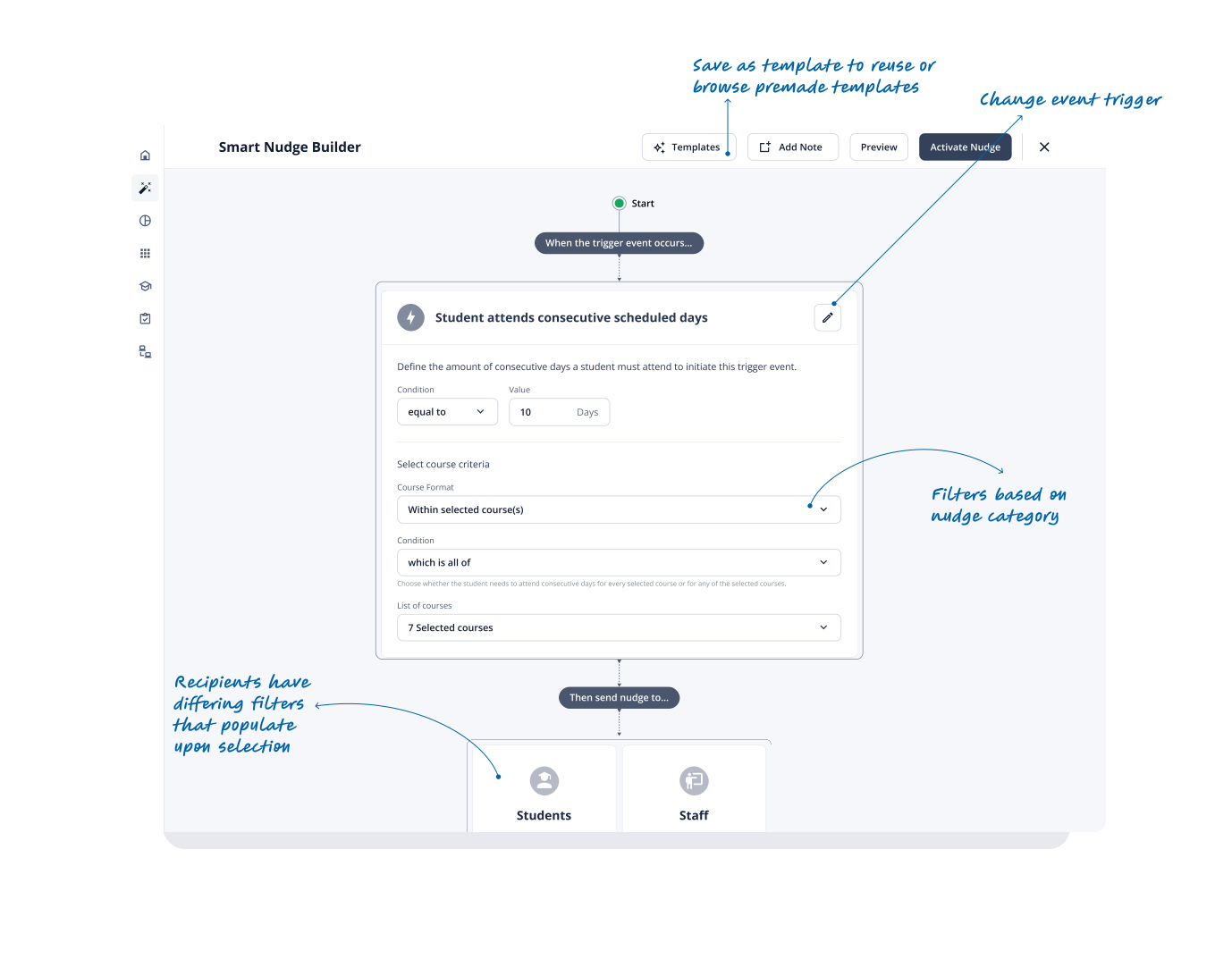
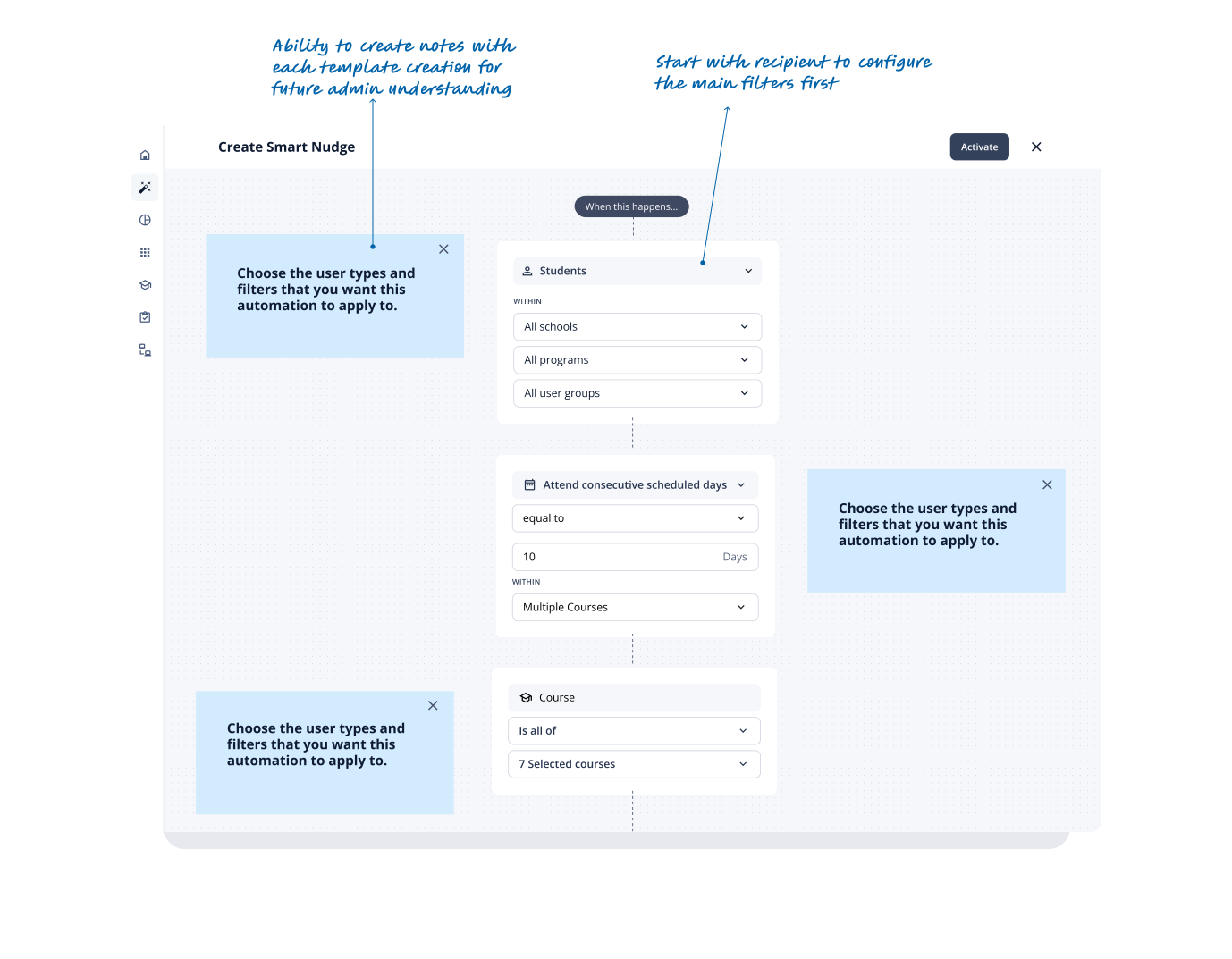
I began by creating low to mid-fidelity wireframes for six key screens—Smart Nudge Dashboard, Activity, Management, Builder, Template Library, and Settings—to conduct an initial review with key stakeholders before presenting them to customers for feedback.
Testing & Validation
After the enhancements, we revisited at-risk customers to test the updates. During demos, we showcased the improvements, emphasizing how the new product would meet their needs. They were impressed by the user-friendly design but identified a few critical adjustments needed.
Actions based on findings:
Template Creator Information
Added a "Created By" section to each template card and detailed view, displaying the name of the administrator who created the template.
Nudge Hours Configured
Introduced a "Nudge Hours" section in the settings page, enabling administrators to customize the timing of message delivery for each school.
School Contact Tags
Admins can now add School Contact tags in emails, allowing them to easily insert faculty names and direct students to specific contacts.
End Result
Final Design
The final design lets admins effortlessly customize settings, schedule targeted nudges, and track student progress for streamlined communication. It also enables permission management, message previews, and detailed activity logs for efficient outreach.
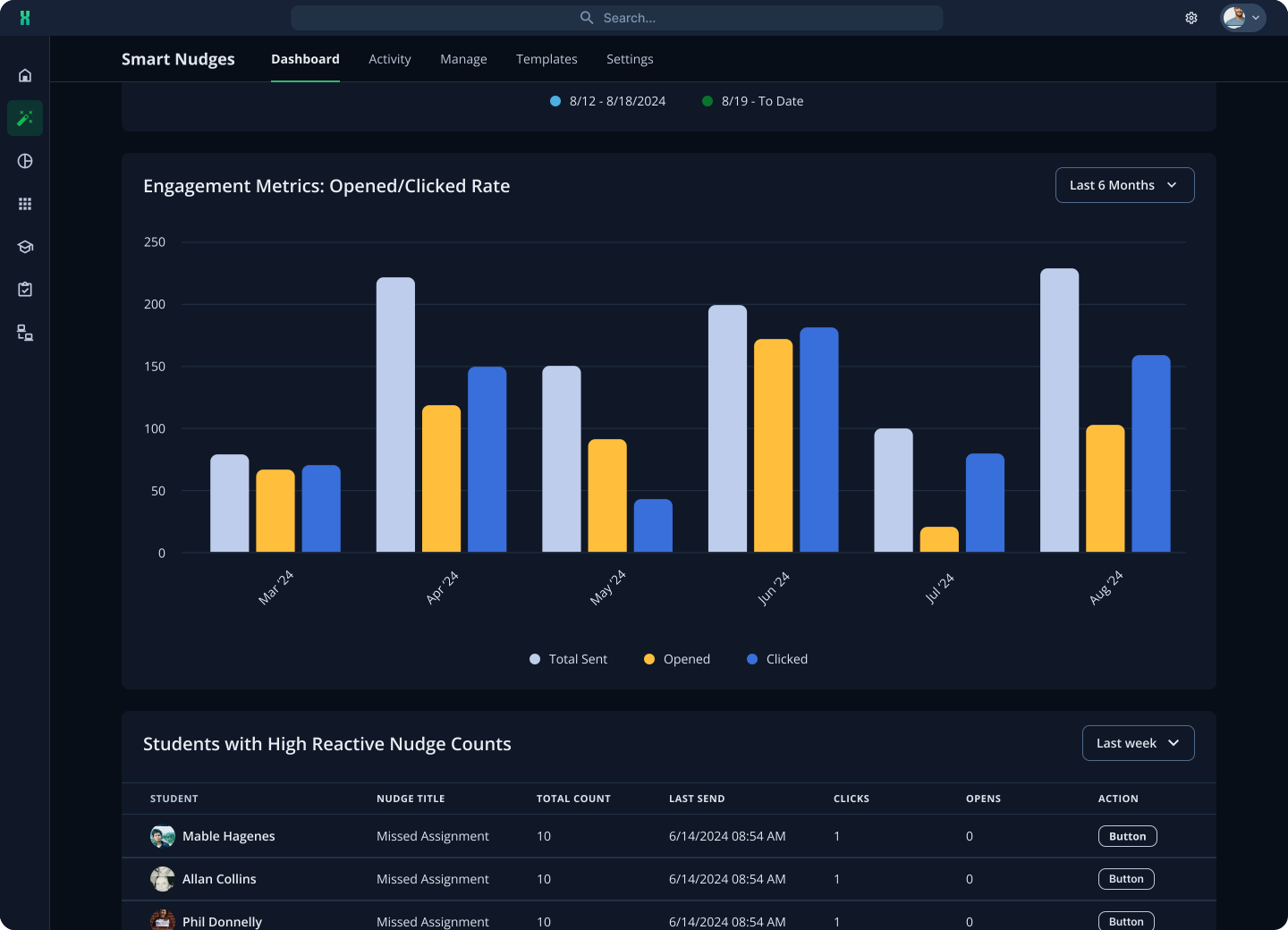
Dashboard
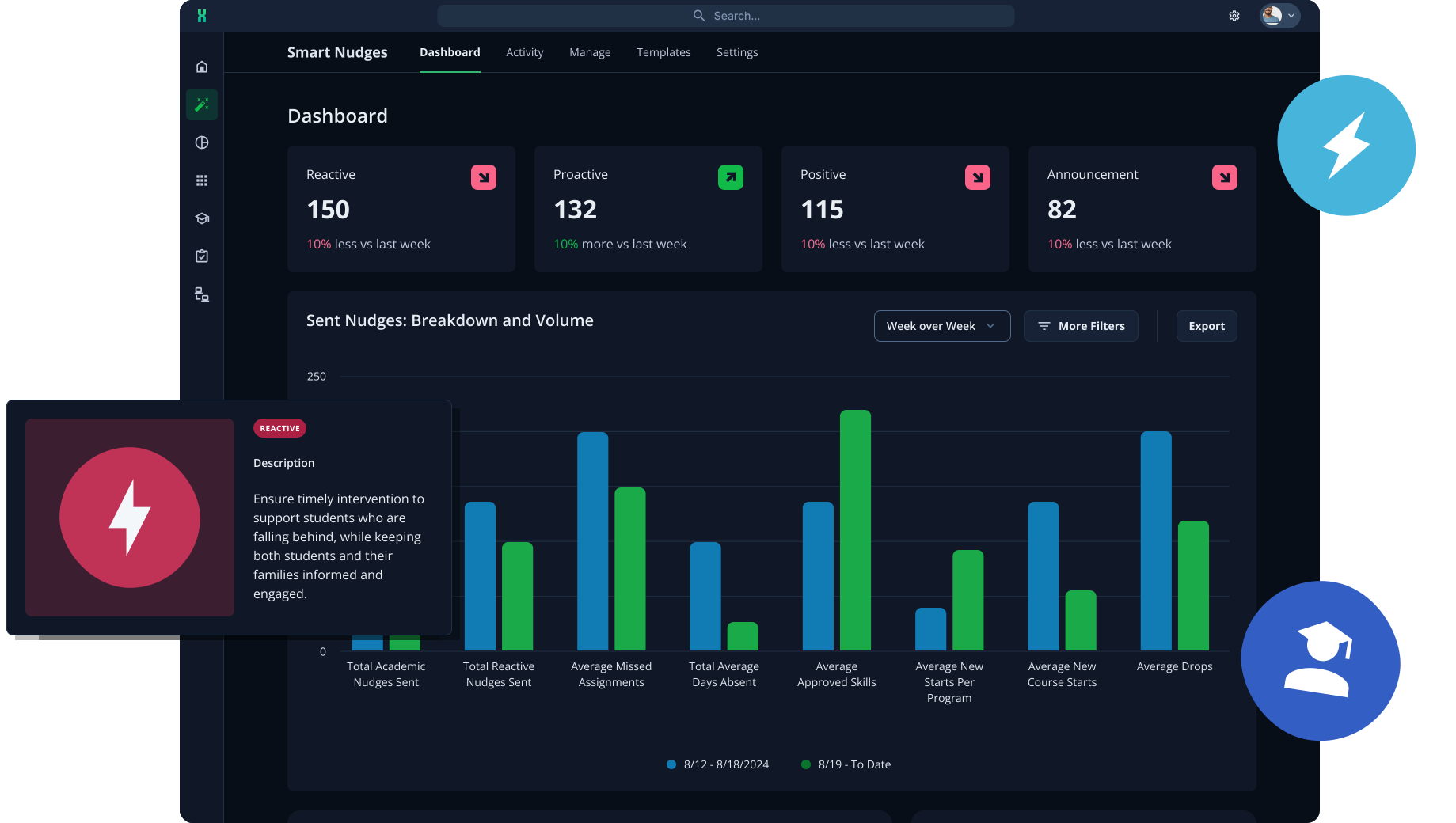
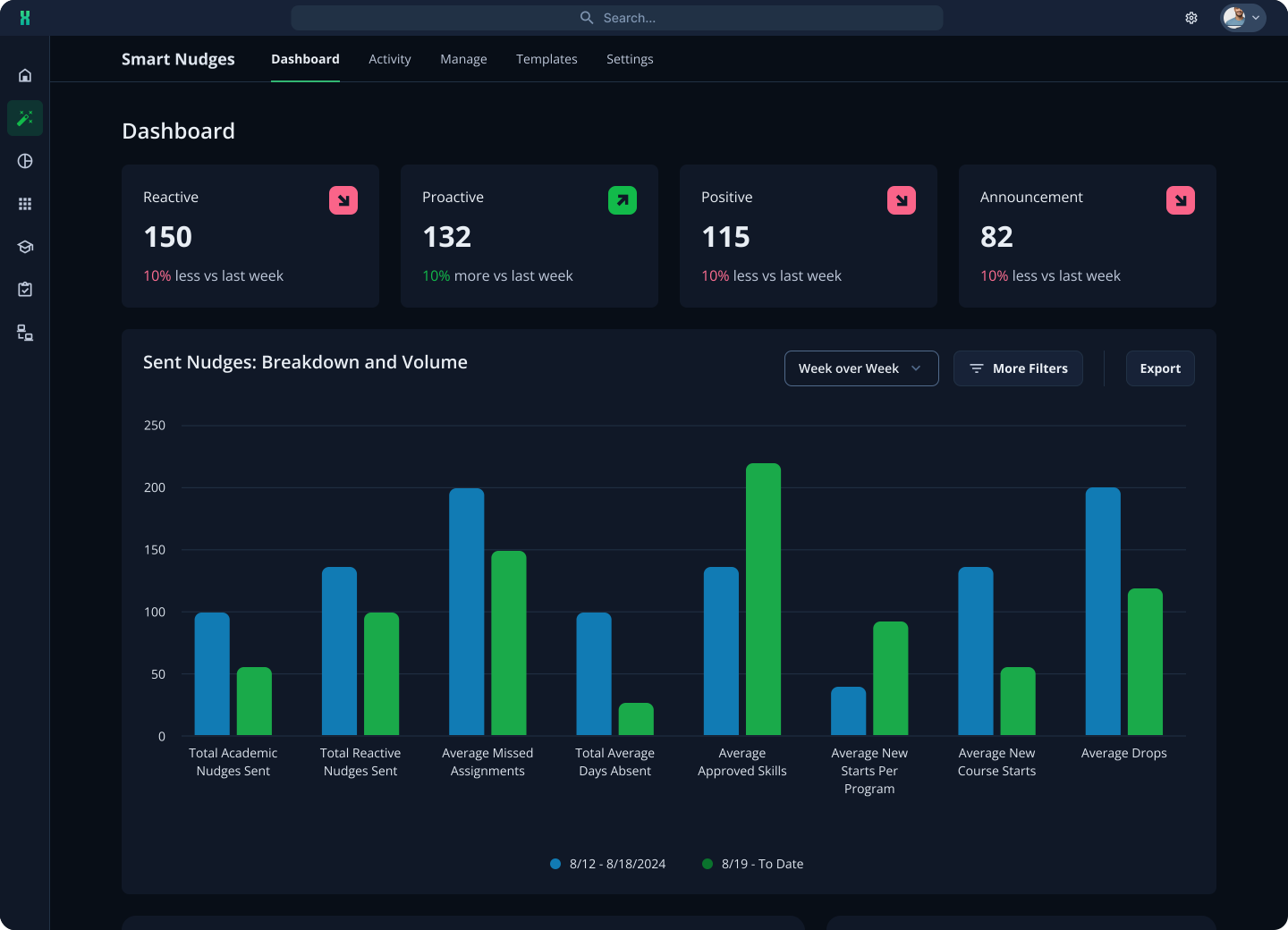
Dashboard allows for administrators to get immediate insight into students receiving high reactive nudges.
Smart Nudge Builder
Administrators begin by selecting an event trigger, then move on to filtering the relevant recipient.

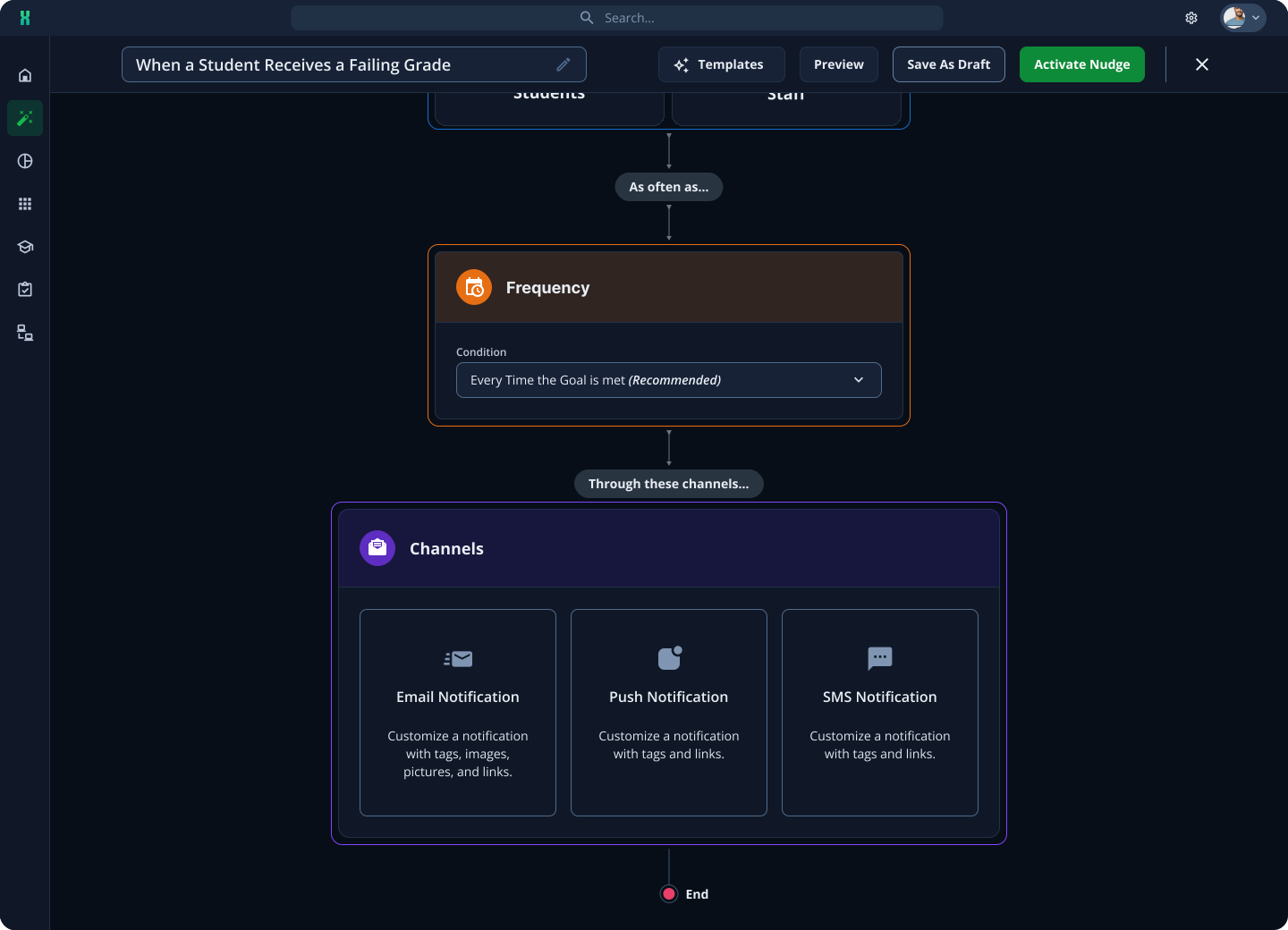
Smart nudge Builder
Administrators can set the frequency, select channels, and customize each message.
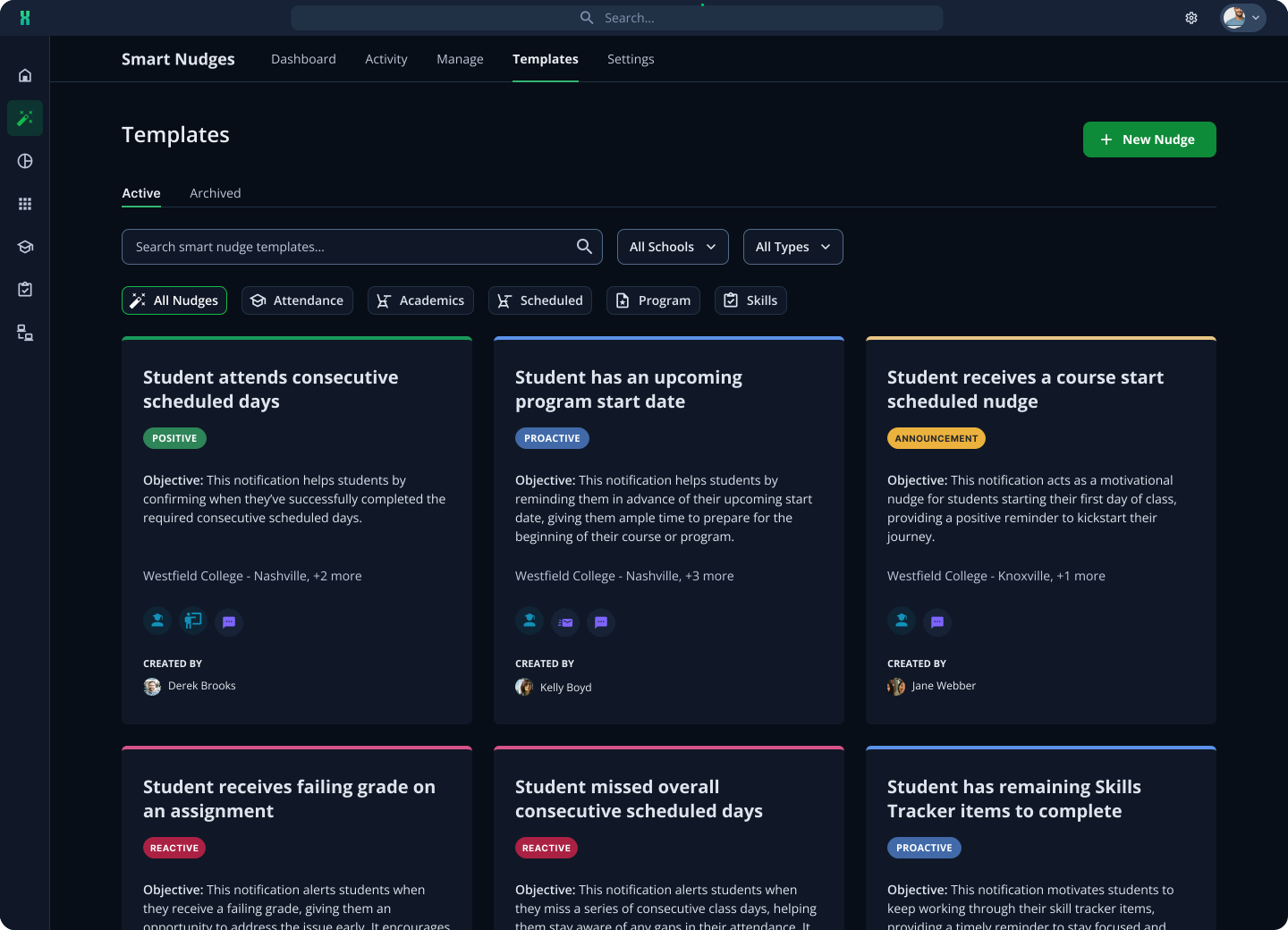
Templates
Administrators can select from various pre-made templates for a faster workflow.
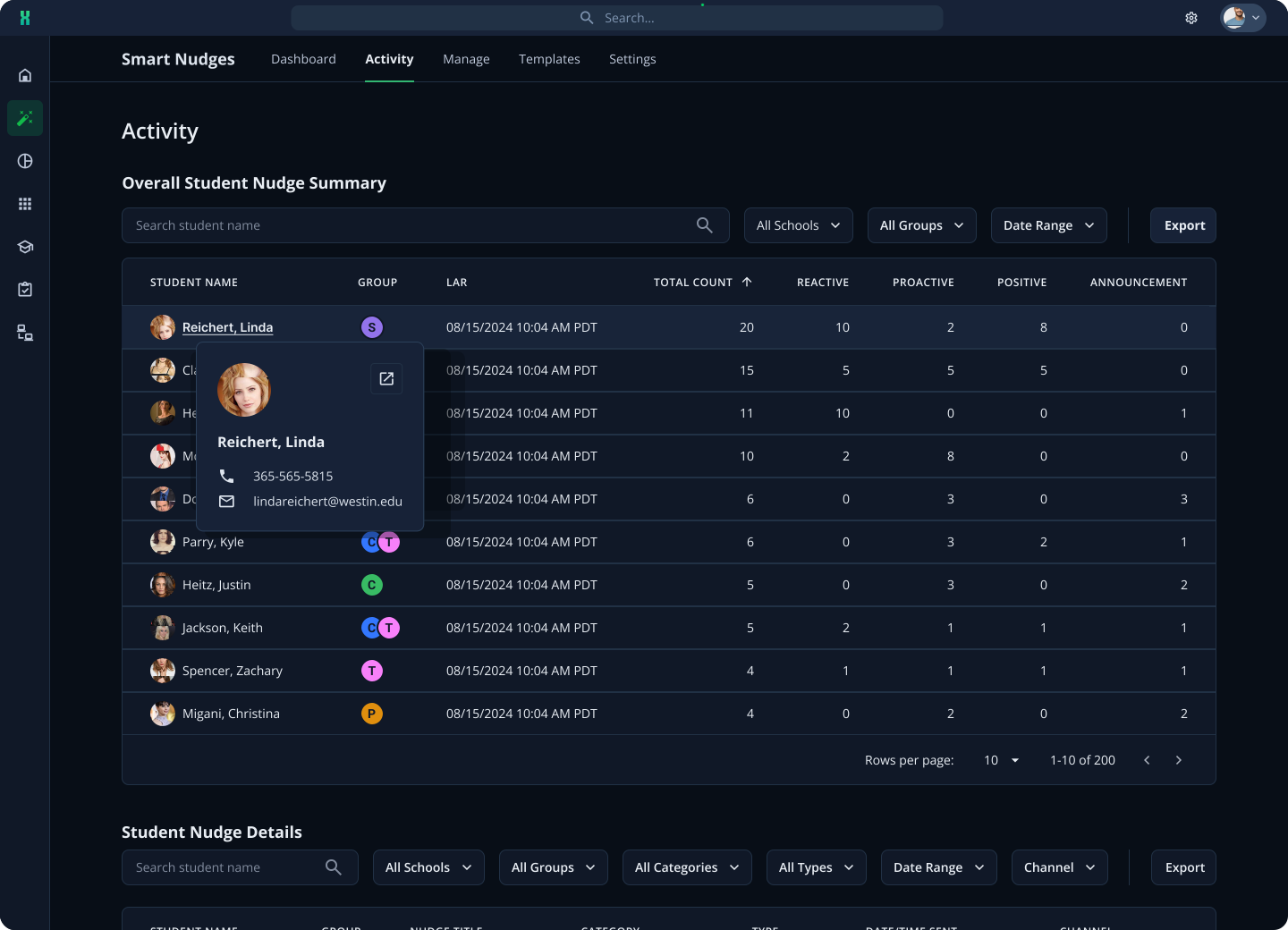
Activity
Admins can view the total count of each smart nudge type per student for quick insights.
Achieving Project Goals
While the product has not yet been released, user research, testing, and design iterations suggest that it will significantly improve user efficiency, reduce common pain points, and enhance overall satisfaction once launched.
Our goal is:
reduction in churn
increase in new business
increase in engagement
Reflections & Growth
Comprehensive Detail Review
We initially overlooked the duplication of recipient filters across event triggers, which could have caused conflicts and a cumbersome user experience. After regrouping with the engineering team, we decided to consolidate all filters into a single component to streamline the Smart Nudge creation process. Going forward, we’ll ensure more attention to detail early in large redesigns by involving additional team members in reviewing the specifics in our Google Sheets and documentation, not just the overall design.
Technical Collaboration
While working on the filters, we faced challenges with allowing "contains" or "starts with" string match options. After several design iterations, the engineering team recommended "starts with" as the most effective choice, since it has no character limit and prevents irrelevant results from the "contains" option. Moving forward, we’ll involve the engineering team earlier in addressing technical questions to ensure better alignment and avoid issues.