User group Feature
ROLE
Timeline
Team
1 Designer, 1 Product Manager, 3 Engineers

My Role
As the sole product designer for this project, I was responsible for the end-to-end design process, including conducting user research, performing usability testing, and creating wireframes and prototypes. I led the design efforts independently, ensuring a seamless and user-centered experience throughout.
The Challenge
School staff face challenges when using the UI to filter and narrow down user lists for specific tasks, especially when the necessary parameters are missing from the system. This forces them to sift through irrelevant users while performing routine tasks, leading to inefficiencies and an increased risk of human error. In an attempt to work around these limitations, staff have begun using potentially non-compliant methods to complete their duties.
The Solution
With User Groups, school administrators can now create and manage tailored sets of users that align with their real-life cohorts. This feature allows both administrators and staff to easily filter by these custom groups throughout the platform, streamlining workflows and reducing the risk of errors.
Discovery
This project began as a product enhancement request from our cosmetology clients. The product manager and I collaborated on the request, conducting interviews with program directors and staff from cosmetology career colleges. Through our research, we developed a solution that meets the needs of both user scenarios.
Key findings:
Schedule-Based Student Filtering
Staff need the ability to filter students by their schedules (e.g., day vs. night shifts) to streamline task management and ensure more efficient allocation of resources.
Program and Course Filtering
There is a need to filter students within Programs and Courses (e.g., attendance lists, rosters) to track and assess their performance.
Targeted Student Group Automation
Automation is needed to target specific student groups and filter them within Programs and Courses for better performance tracking.
Grouped Approvals
Skills Tracker submissions are reviewed and approved by different staff members throughout the day, with each staff member responsible for specific groups.
Navigating the Experience
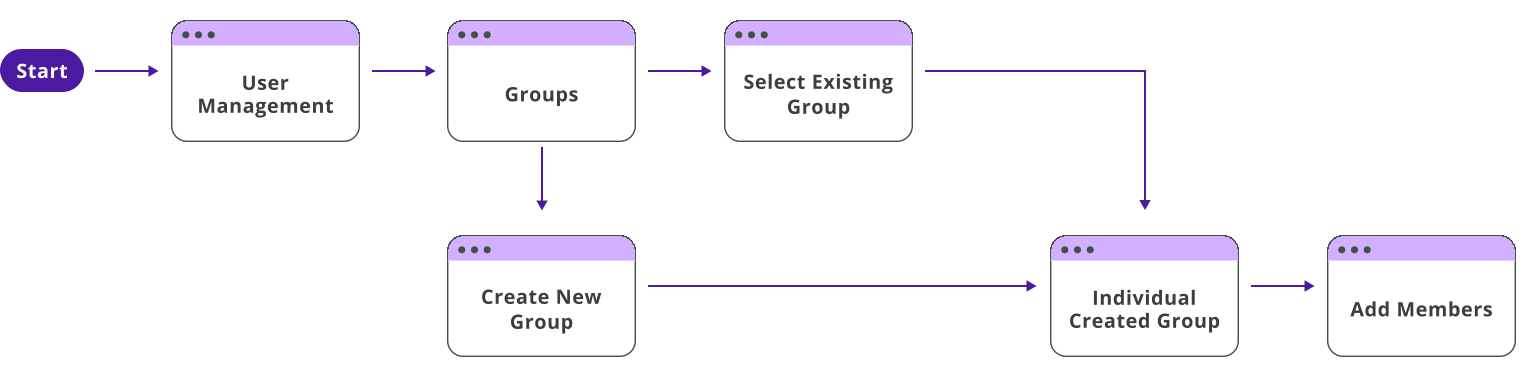
After our initial user research, we began by mapping out the user flow for how administrators would manage groups through the platform.
Early-Stage Layouts
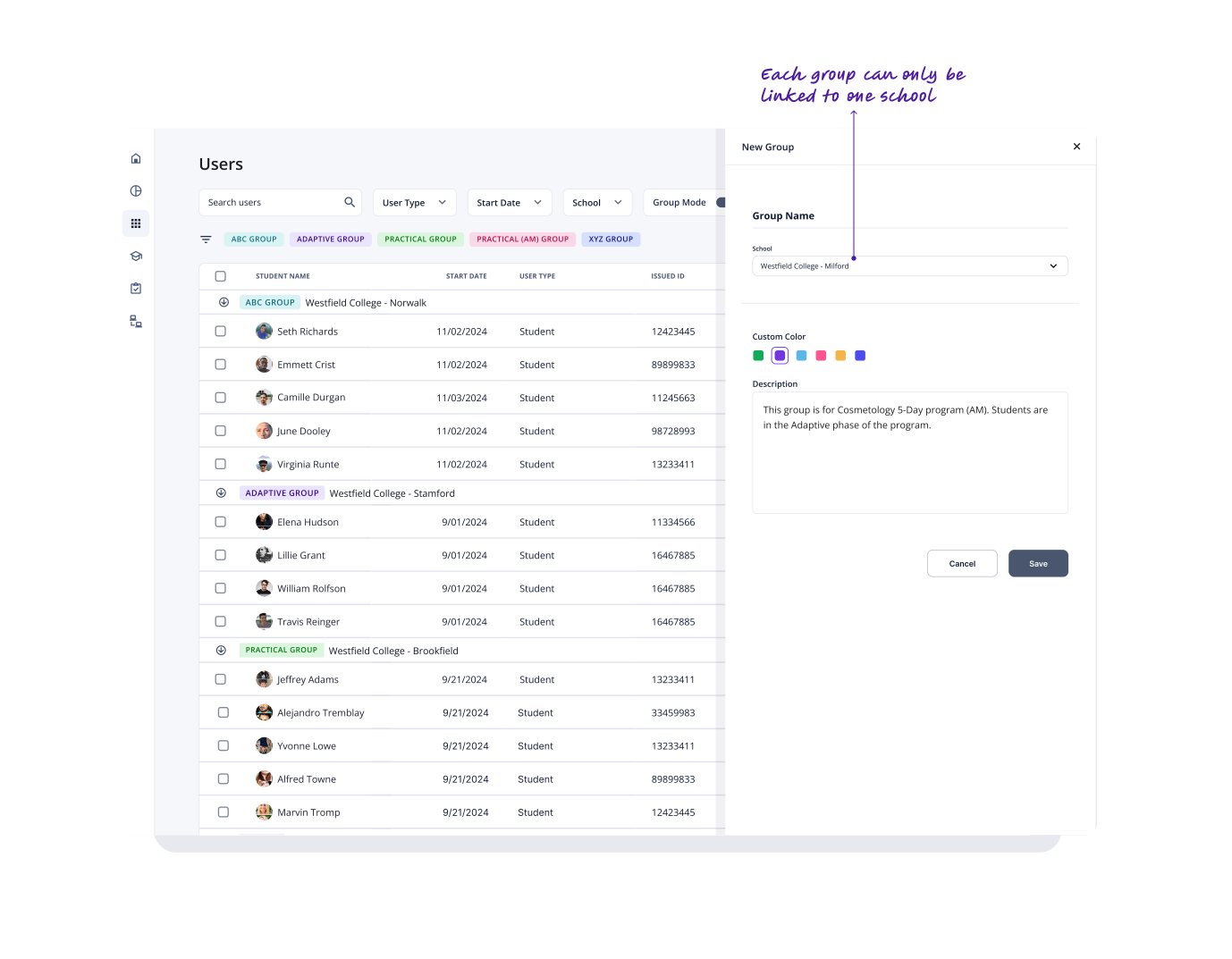
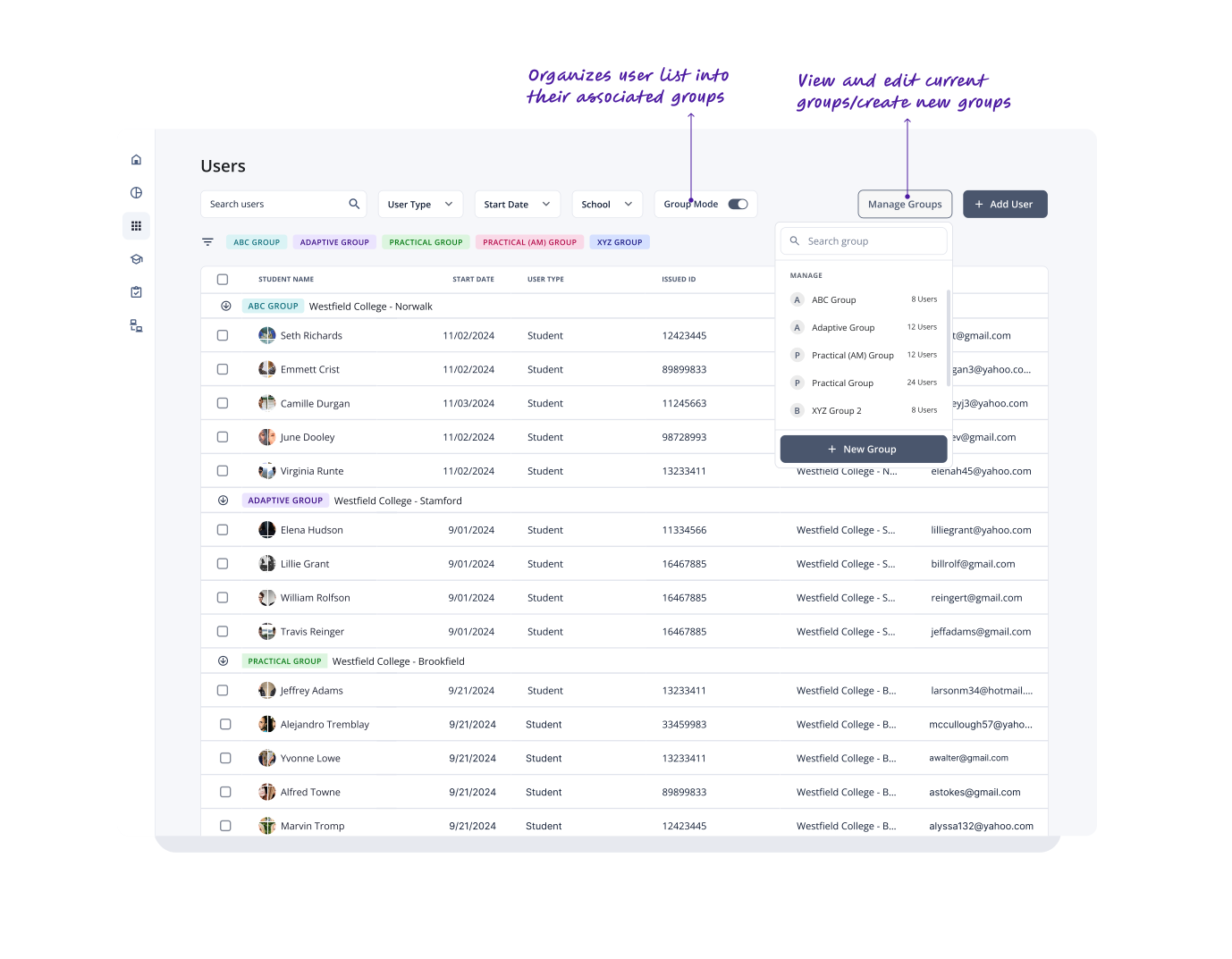
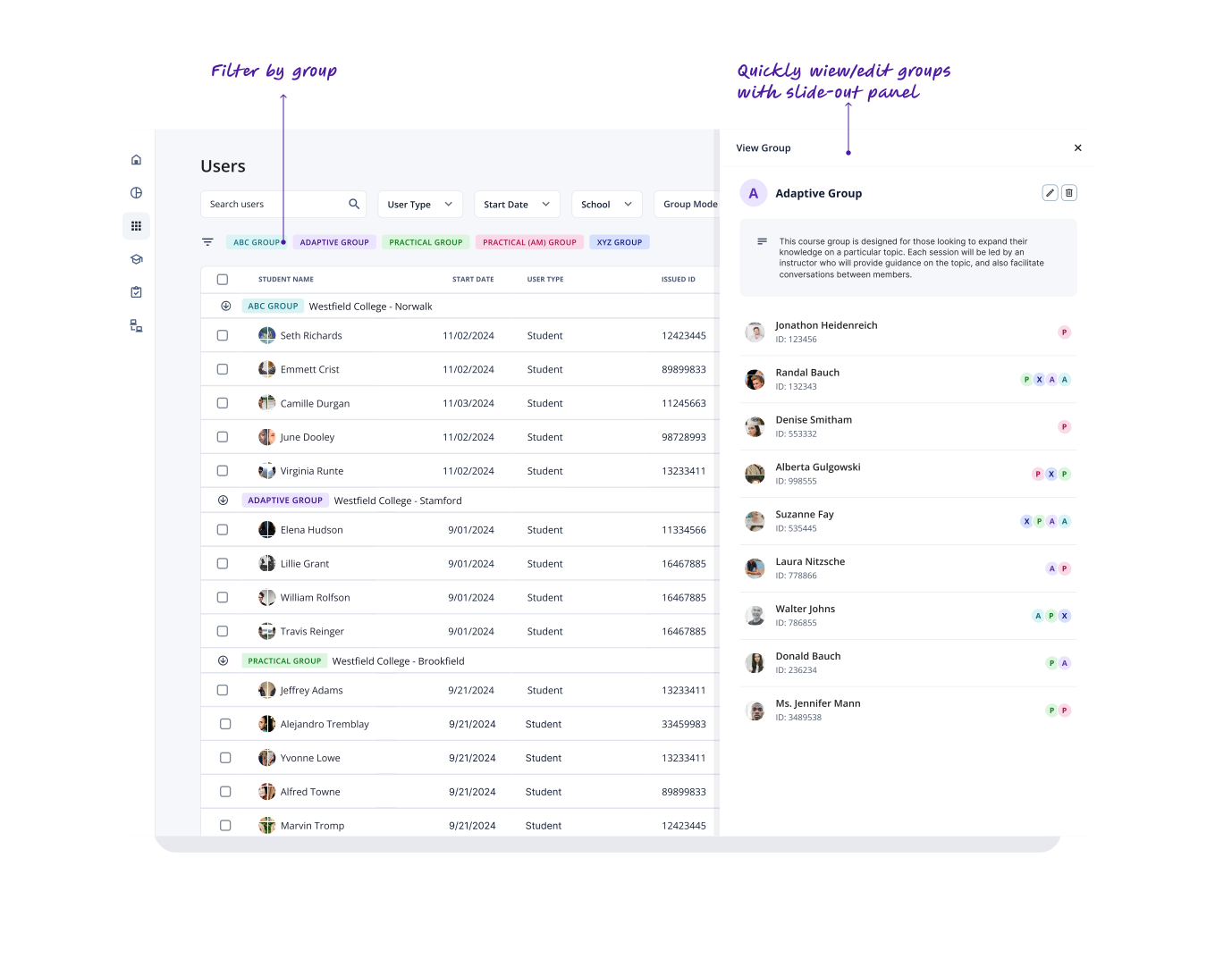
Designs in Motion
Testing & Validation
User testing showed strong satisfaction from our cosmetology clients, who valued the ability to organize students by schedules and cohorts. Feedback from allied health customers highlighted some differences in their use case, suggesting the need for additional components to better suit their needs. In response, we expanded the feature based on these insights.
Actions based on findings:
Bulk User Management
Introduced a bulk management feature to efficiently add or remove users from groups across the platform, with potential for expansion to other features.
Dedicated Group Page
Created a dedicated group page that improved management by centralizing tasks, and providing a clearer overview of group data for better tracking and organization.
Group Contact Association
Added the ability to associate external contacts with user groups based on feedback from Allied Health customers.
End Result
User Groups enhance productivity across the platform, enabling staff to easily organize students within Programs or Courses and target specific groups for automations.
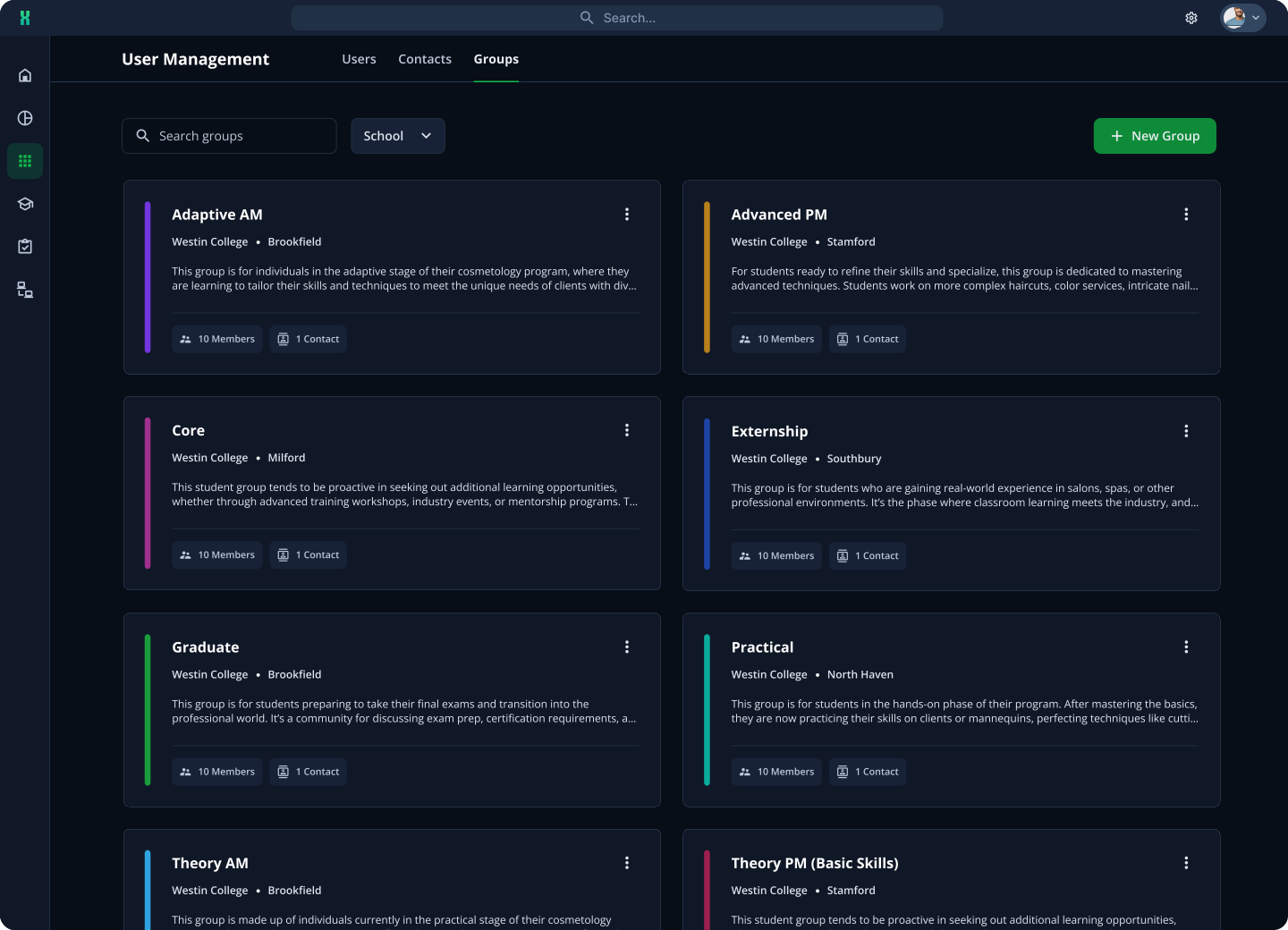
Groups Tab
Administrators have a dedicated tab to organize and manage all their user groups.
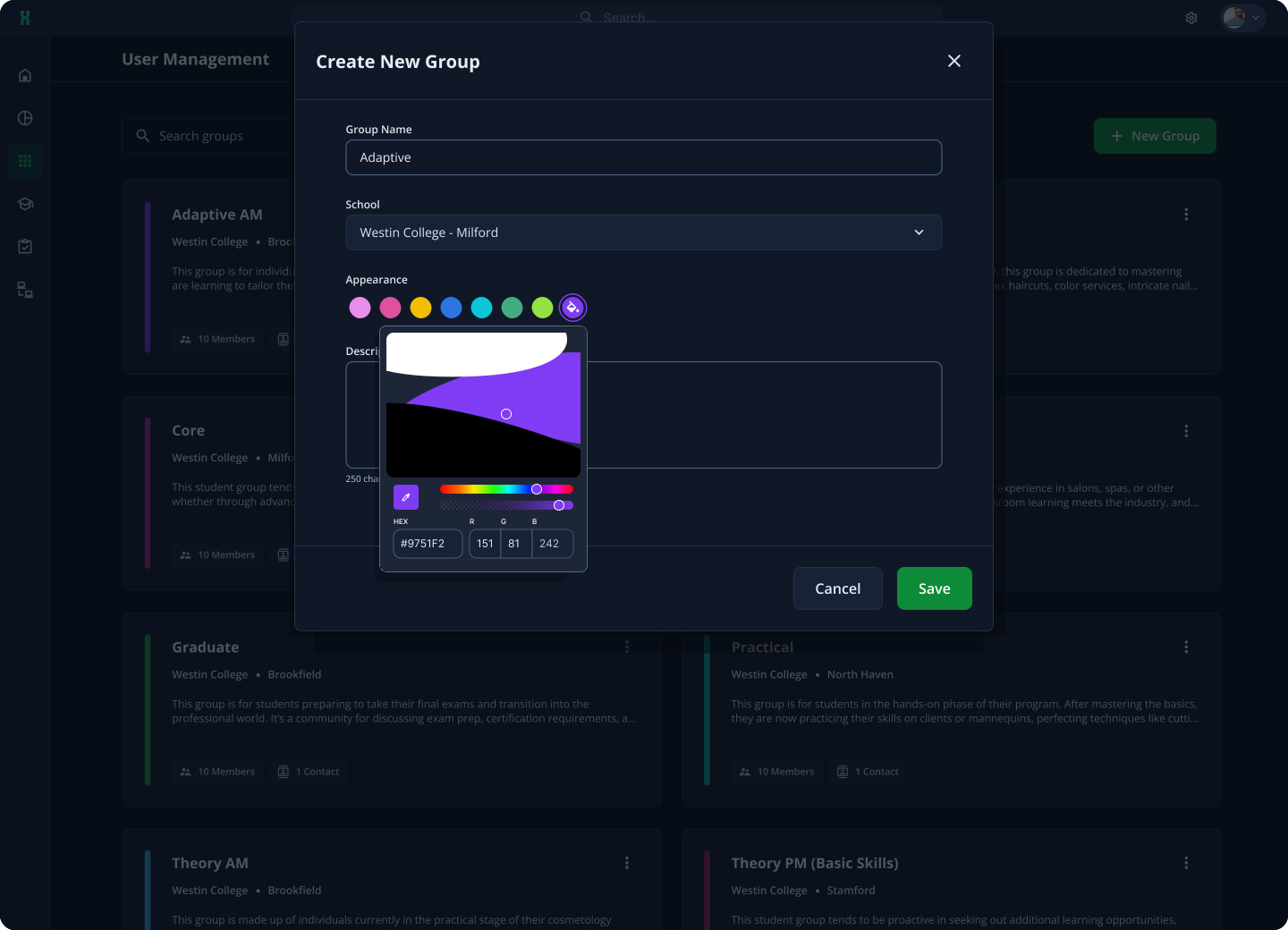
group creation
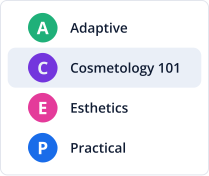
Each group can be fully customized with a name, color, and assigned school.
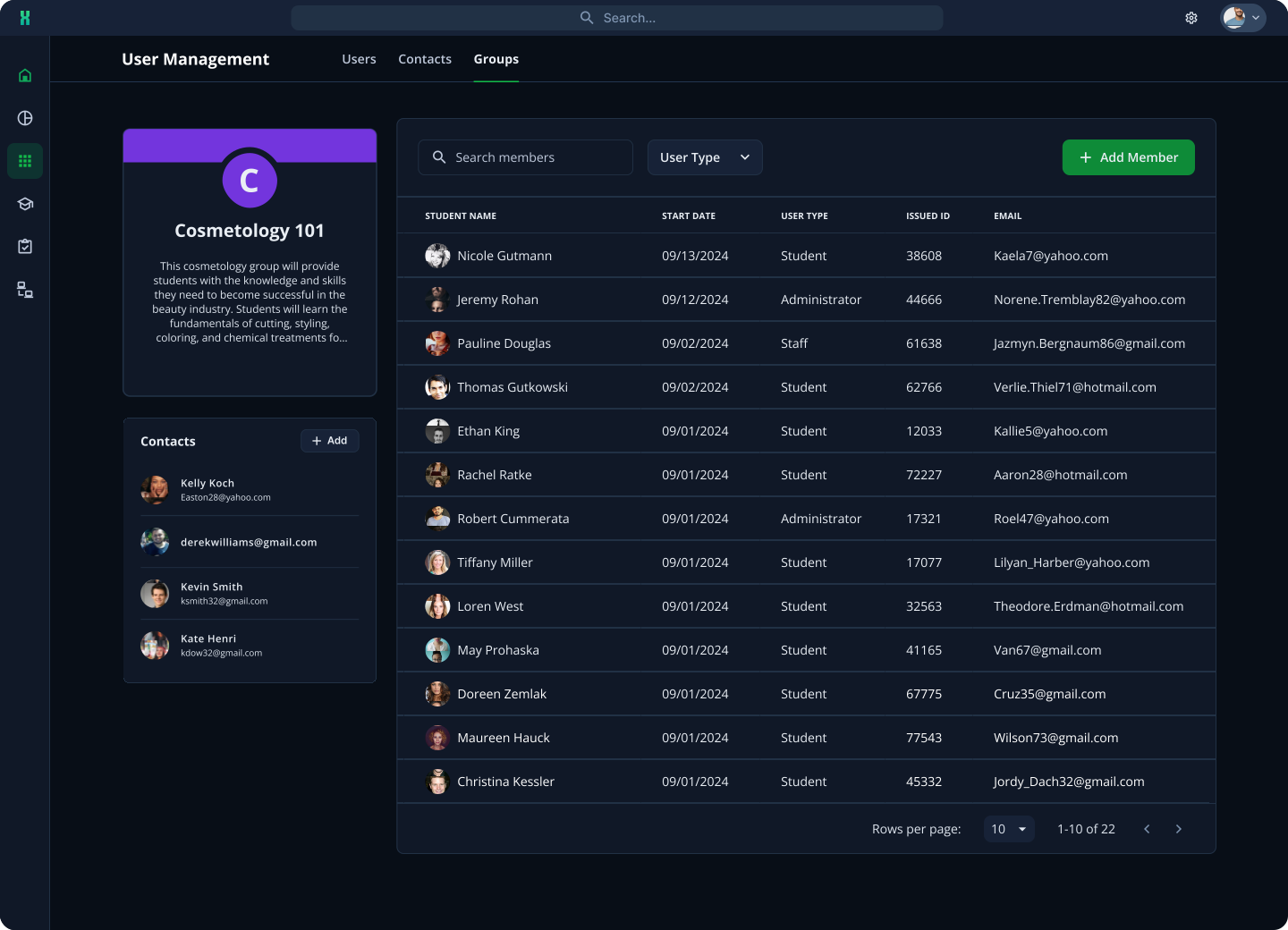
Group Homepage
After a group has been created, administrators can then add students and assign contacts to supervise the group.
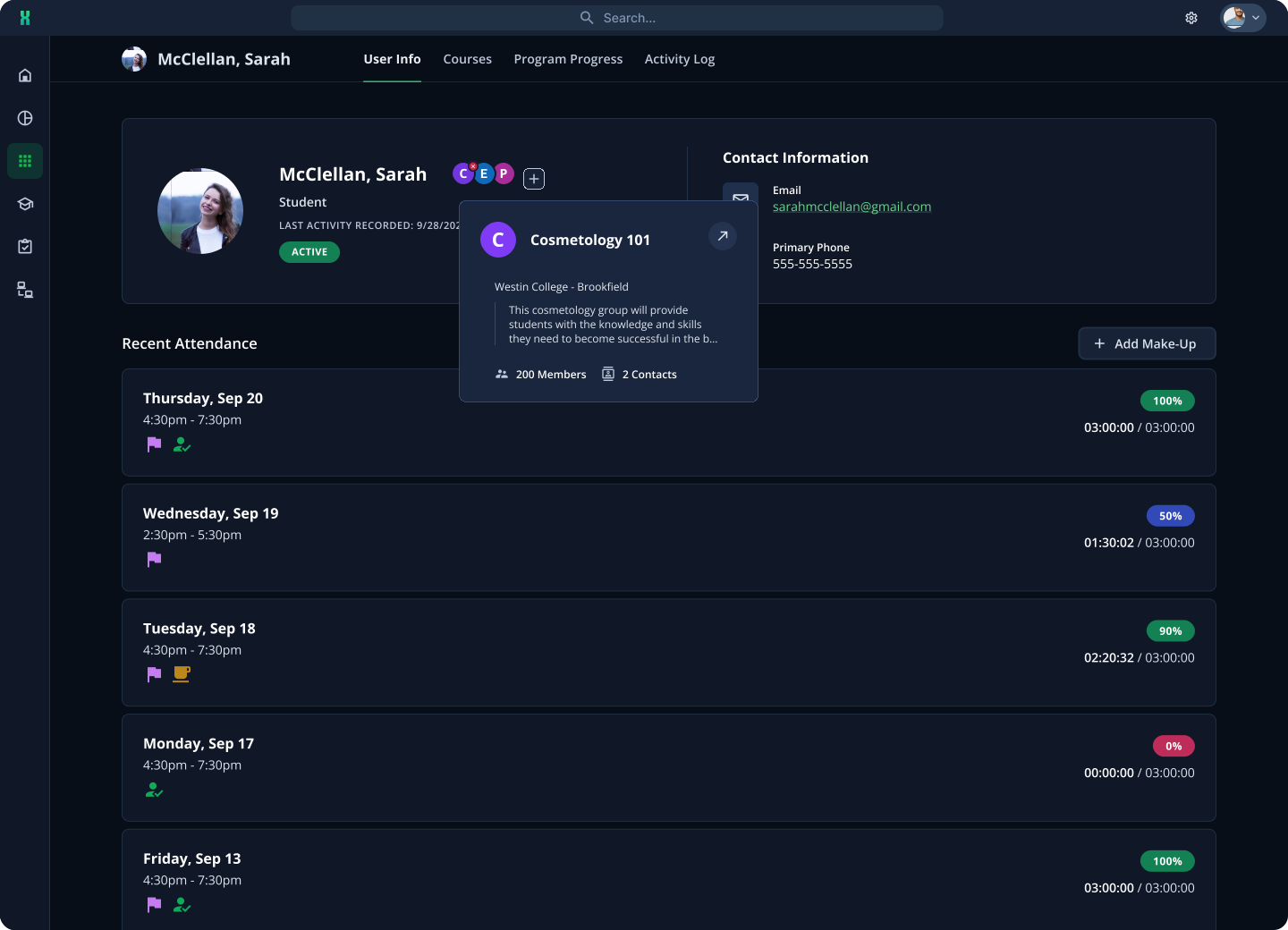
User info
Administrators can view which groups students belong to through the User Info tab and manage the groups directly from there.
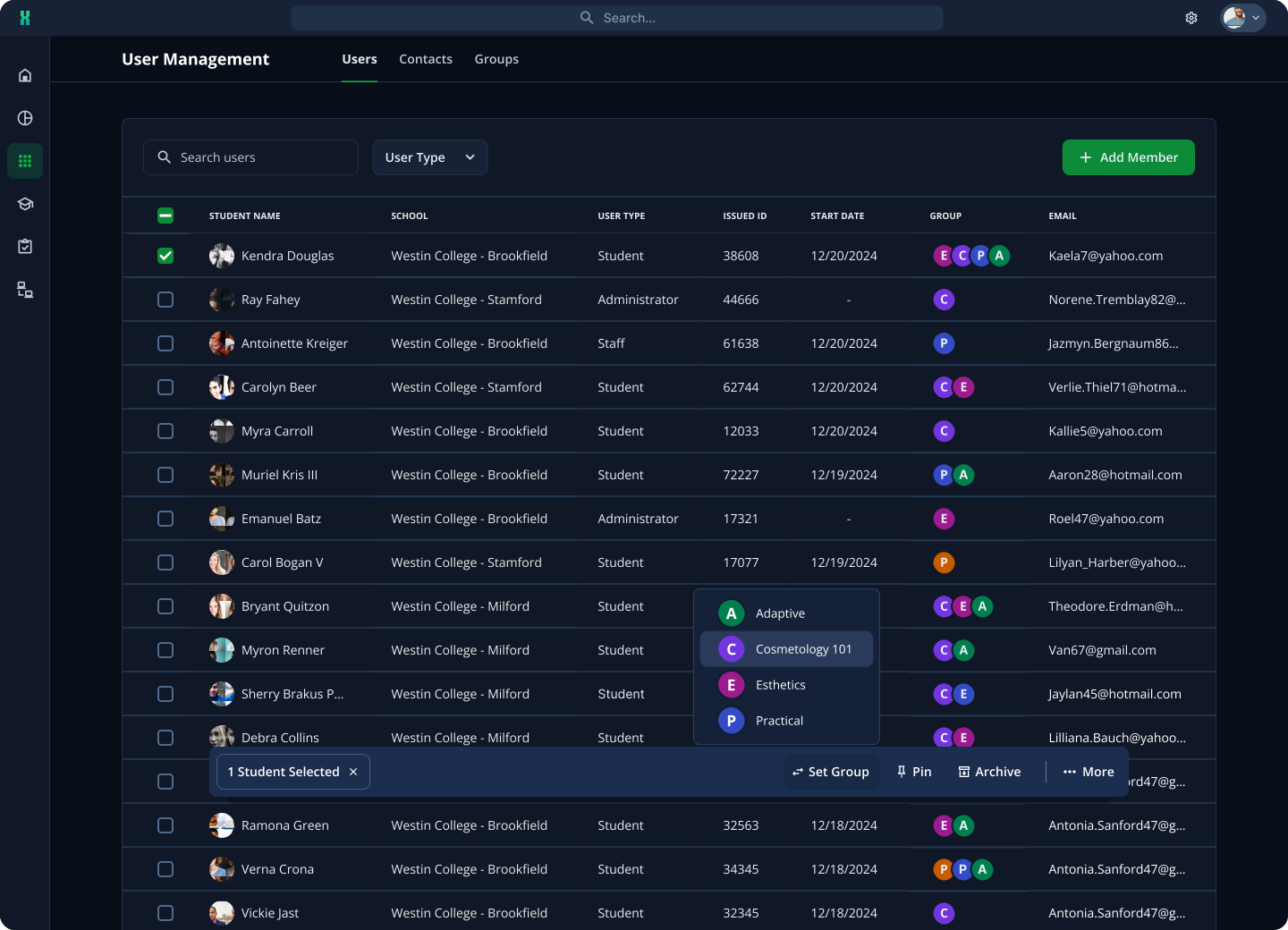
Bulk Management
Administrators can use the bulk management tool to quickly add or remove large numbers of students from groups.
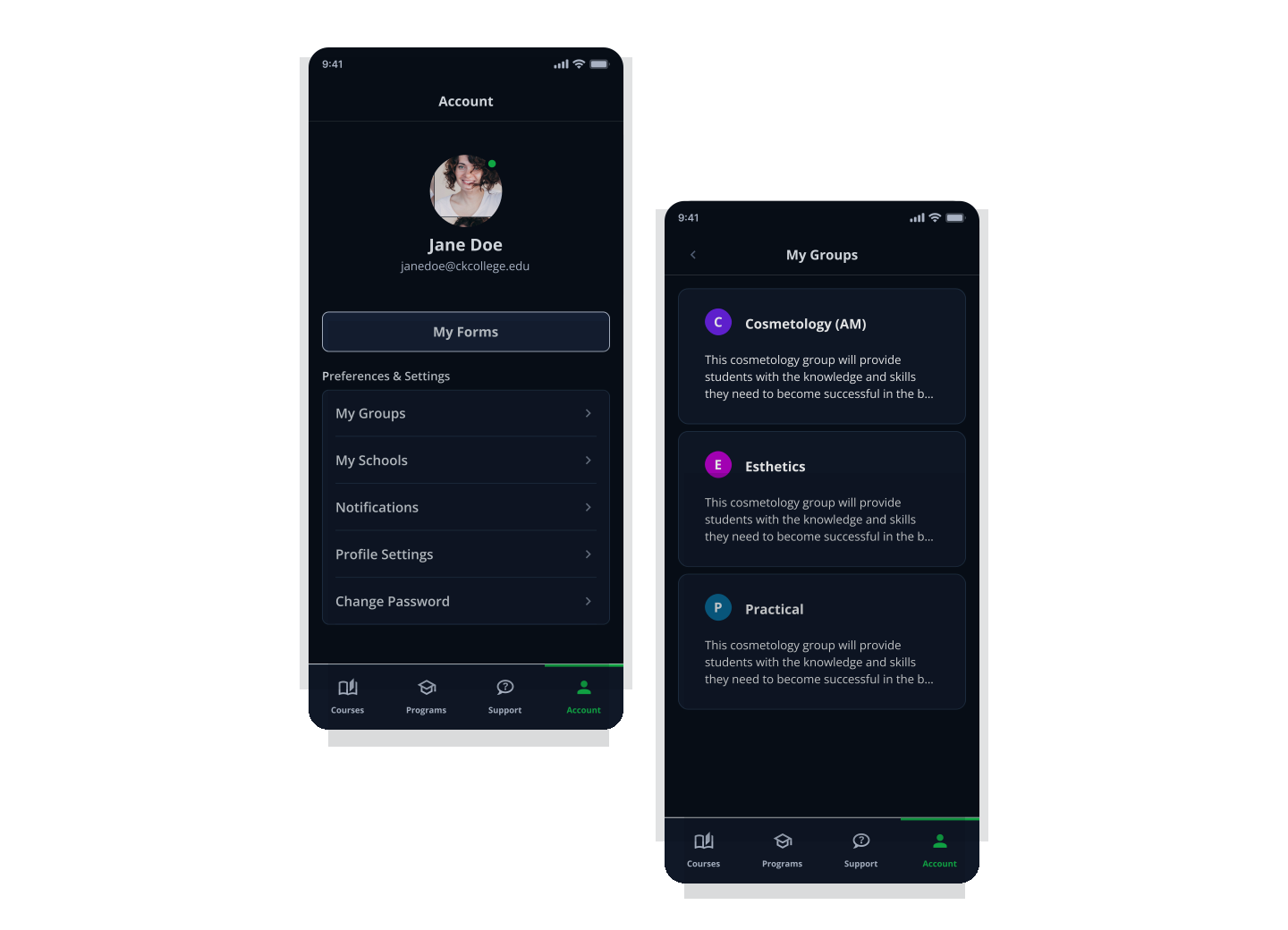
Student Mobile App
Students can now see the groups they're assigned to in their account preferences and settings.
Achieving Project Goals
Three months post launch, we were able to achieve significant improvements in client adoption.
groups created at 101 locations
group memberships, with 23+ user per group
hours weekly reclaimed by admins
Reflections & Growth
Diverse Client Needs
Initially, we focused heavily on our cosmetology clients, as the feature was developed in response to their request. We assumed it would meet the basic needs of all clients, including those in the allied health sector. However, through testing with allied health clients, we realized their needs required more adjustments than we had anticipated. Going forward, we’ll prioritize understanding the diverse needs of all our clients and consult with both sectors to ensure greater flexibility in our products and features.