Payments Product
ROLE
Timeline
Team
1 Designer, 1 Product Manager, 4 Engineers
My Role
As the sole product designer for this project, I was responsible for the end-to-end design process, including conducting user research, performing usability testing, and creating wireframes and prototypes. I led the design efforts independently, ensuring a seamless and user-centered experience throughout.
The Challenge
Administrators encountered challenges due to the inability to create bulk payment schedules, and reuse schedules for future students. Without these features, setting up payment schedules was cumbersome, and administrators struggled to move away from their manual paper-based processes. These enhancements were essential to streamline workflows and improve efficiency.
The Solution
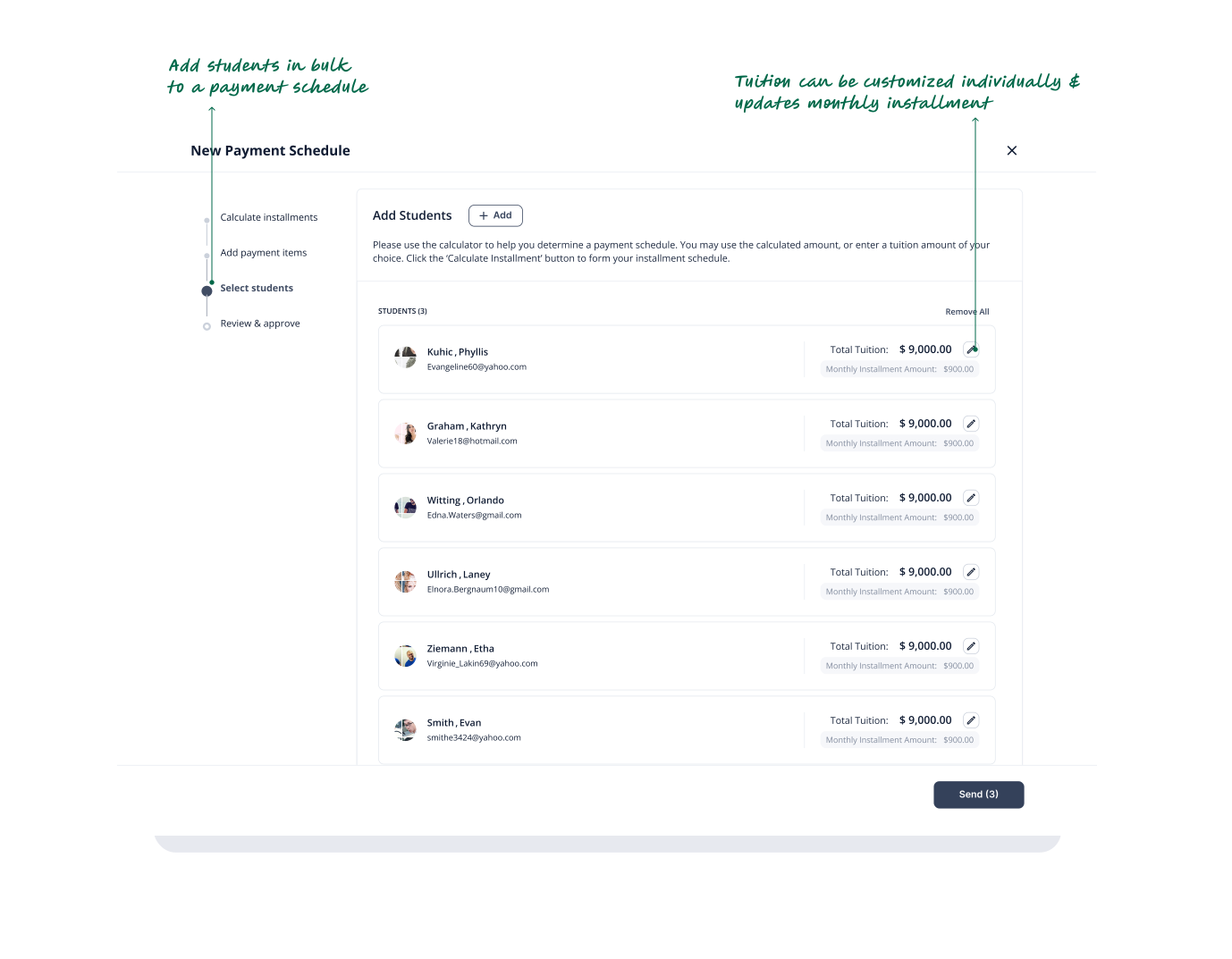
We redesigned the payment schedule builder and introduced payment schedule templates, allowing administrators to streamline the enrollment process by enrolling students in bulk, even if they are in different programs. Administrators can now save and reuse templates, as well as create multiple schedules for individual students.
Discovery
Our customer success team helped us coordinate meetings with clients and prospects that had concerns about the payment schedules meeting all of their needs.
Key findings:
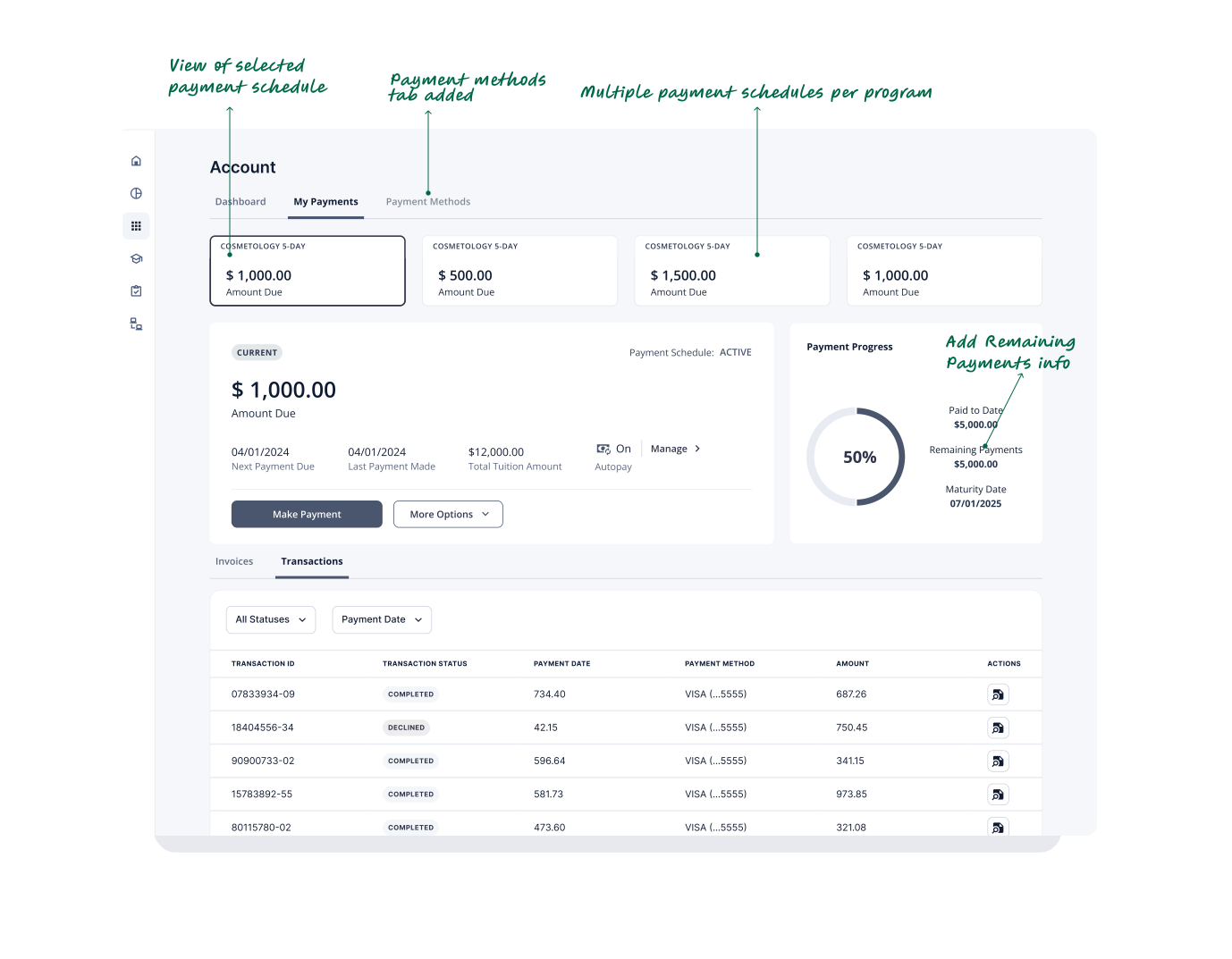
Multiple Payment Schedules
Administrators needed the ability to assign students to overlapping payment schedules for compliance, allowing smaller monthly payments when a single schedule couldn't exceed 12 months.
Payment Schedule Overview
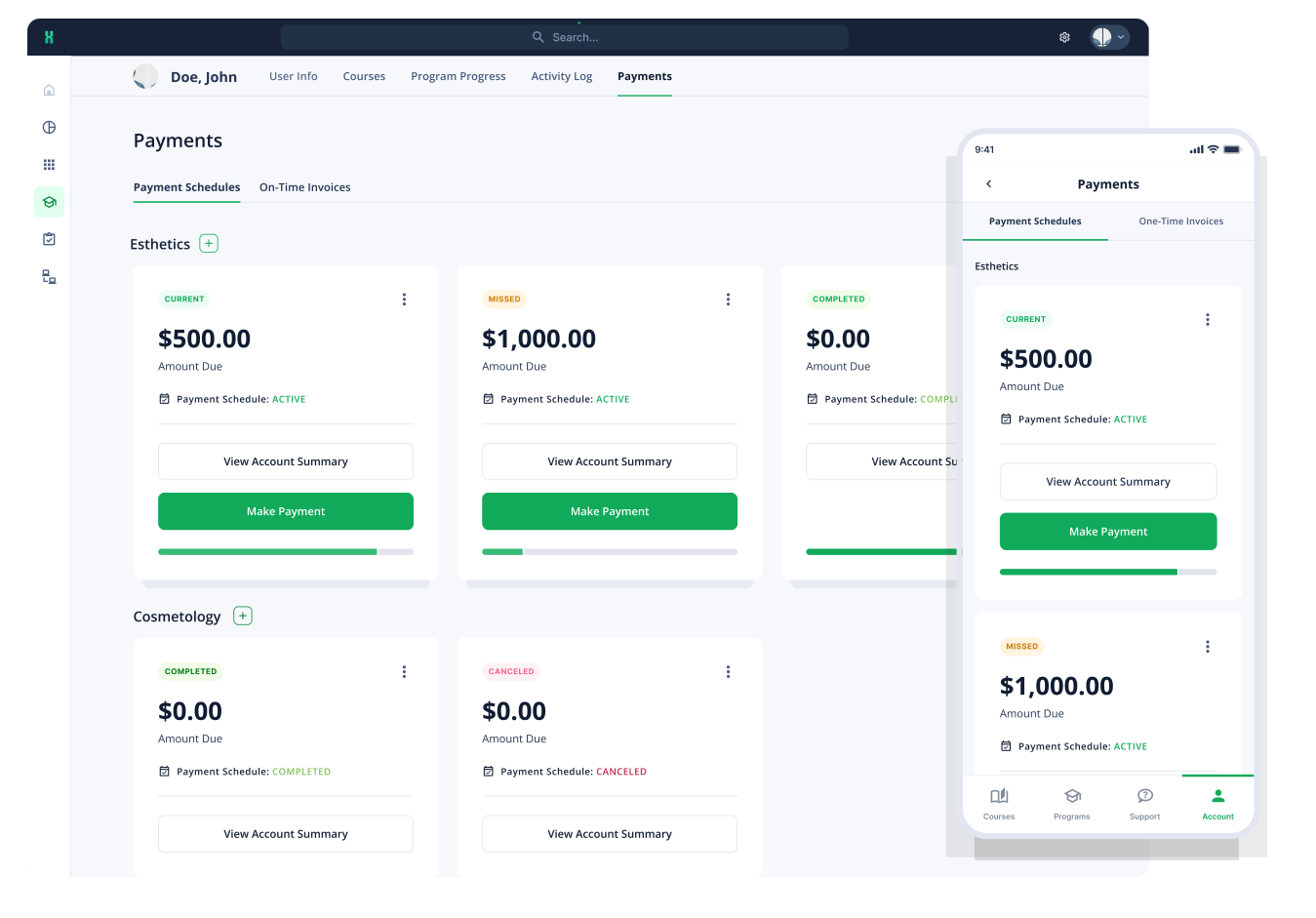
Administrators wanted a comprehensive view of all payment schedules, with clear distinctions between active and canceled ones.
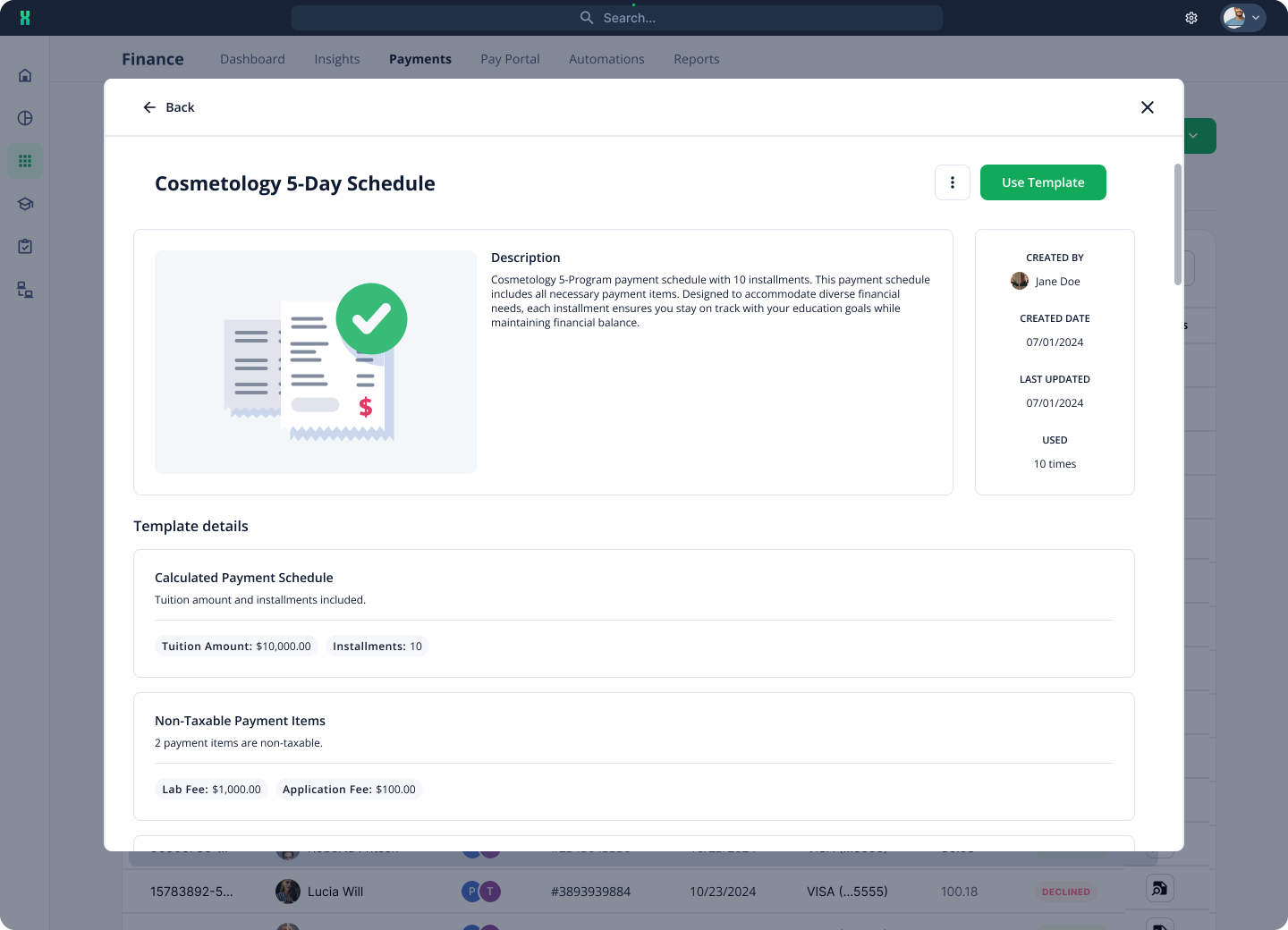
Payment Schedule Templates
Administrators sought the ability to create reusable payment schedule templates for each new program start date and for all incoming students.
One-Time Invoices
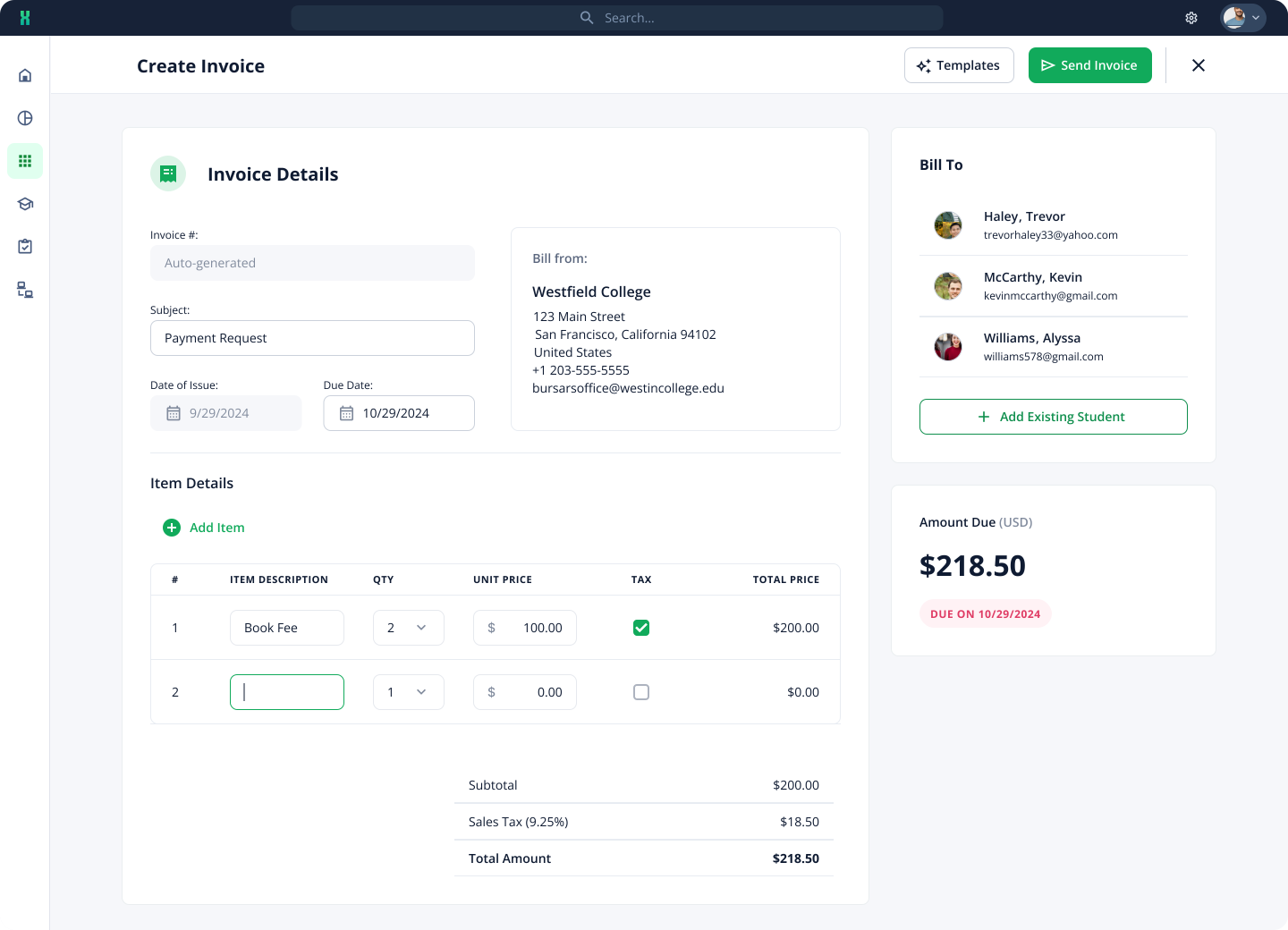
Administrators wanted the option to create one-time invoices for additional fees, like book fees, outside of the regular payment schedule.
Navigating the Experience
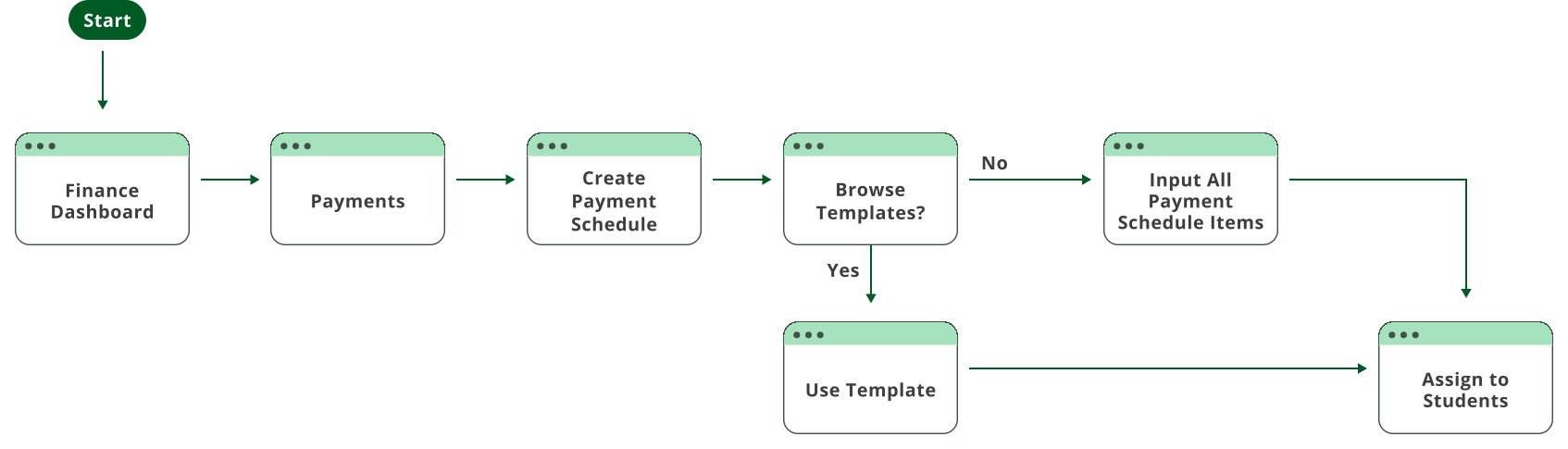
After our initial user research, we began by mapping out the process of creating a payment schedule template.
Early-Stage Layouts
I started by creating low to mid-fidelity wireframes to redesign the original V1 payment schedule builder incorporating the new enhancement requirements while ensuring the design remained user-friendly.

Designs in Motion
I developed several prototypes to demonstrate how our templates can be used to create both payment schedules and invoices.
Testing & Validation
After implementing enhancements, we returned to the same user groups to test the updated features. We conducted usability testing sessions, including live walkthroughs and scenario-based testing, to ensure the new features addressed the identified issues effectively. Amongst testing the new design we did uncover a couple additional new findings
Actions based on findings:
Down Payment Feature
Administrators needed the ability to add down payments to individual student payment schedules.
Edit History Log
Implemented an Edit History log within each payment schedule to track user updates to installment amounts and due dates.
Autopay Management
Added an autopay column to the insights student table, allowing admins to easily manage and track autopay preferences, quickly identify students with autopay disabled, and encourage them to enable it.
End Result
I incorporated the enhancements identified during user testing in the final designs, which generated excitement among customers.
Create an invoice
Administrators can create invoices for one-time payments outside of a student’s payment schedule.
Payment Schedule Templates
Administrators can now easily recreate payment schedules for each new program start date by saving them as templates.
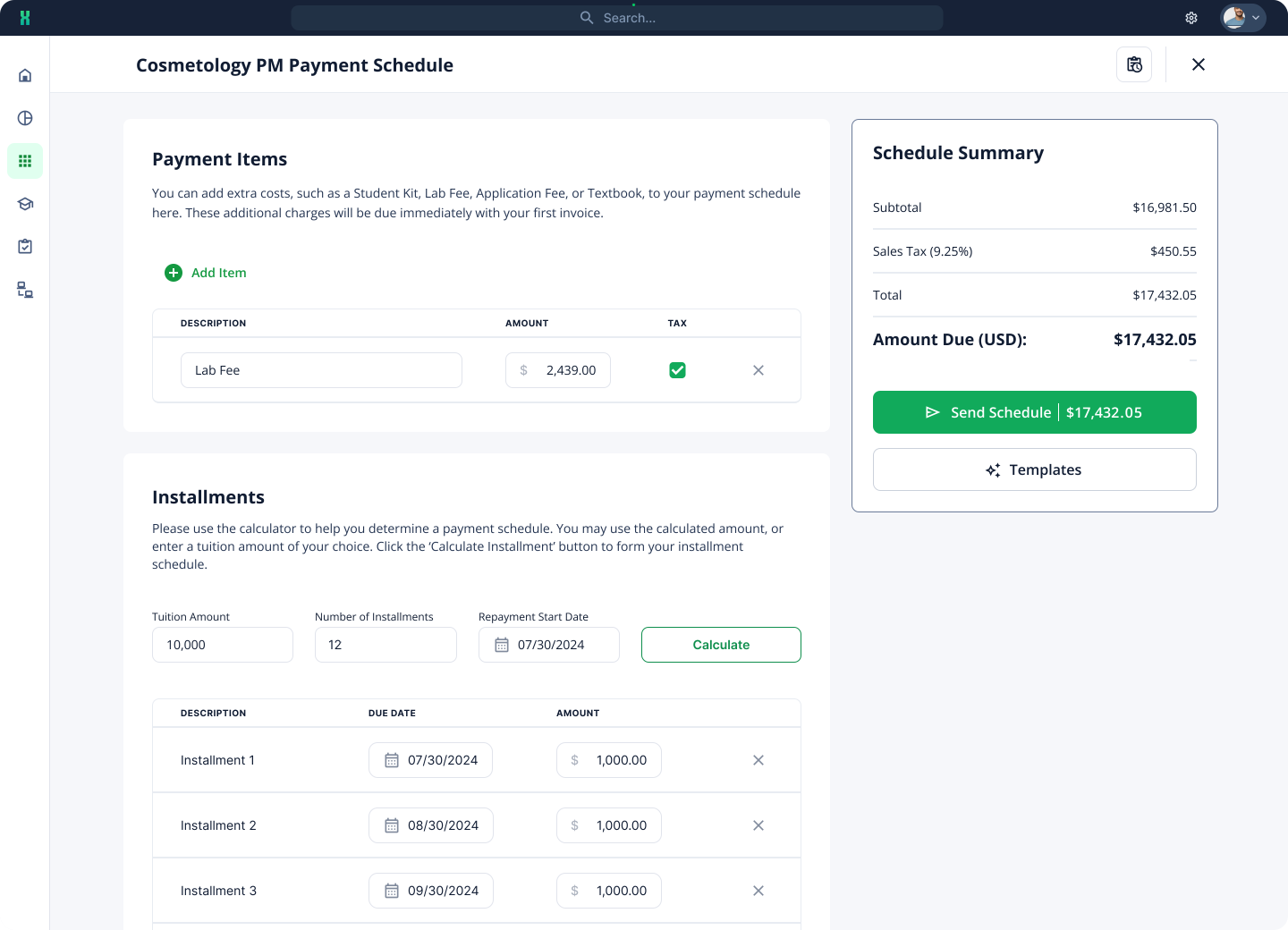
New Payment Schedule Builder
The payment schedule is no longer a stepper and is now all on one page to provide users with greater flexibility, reduce cognitive load, and allow for easier comparison and adjustments across all the details at once.
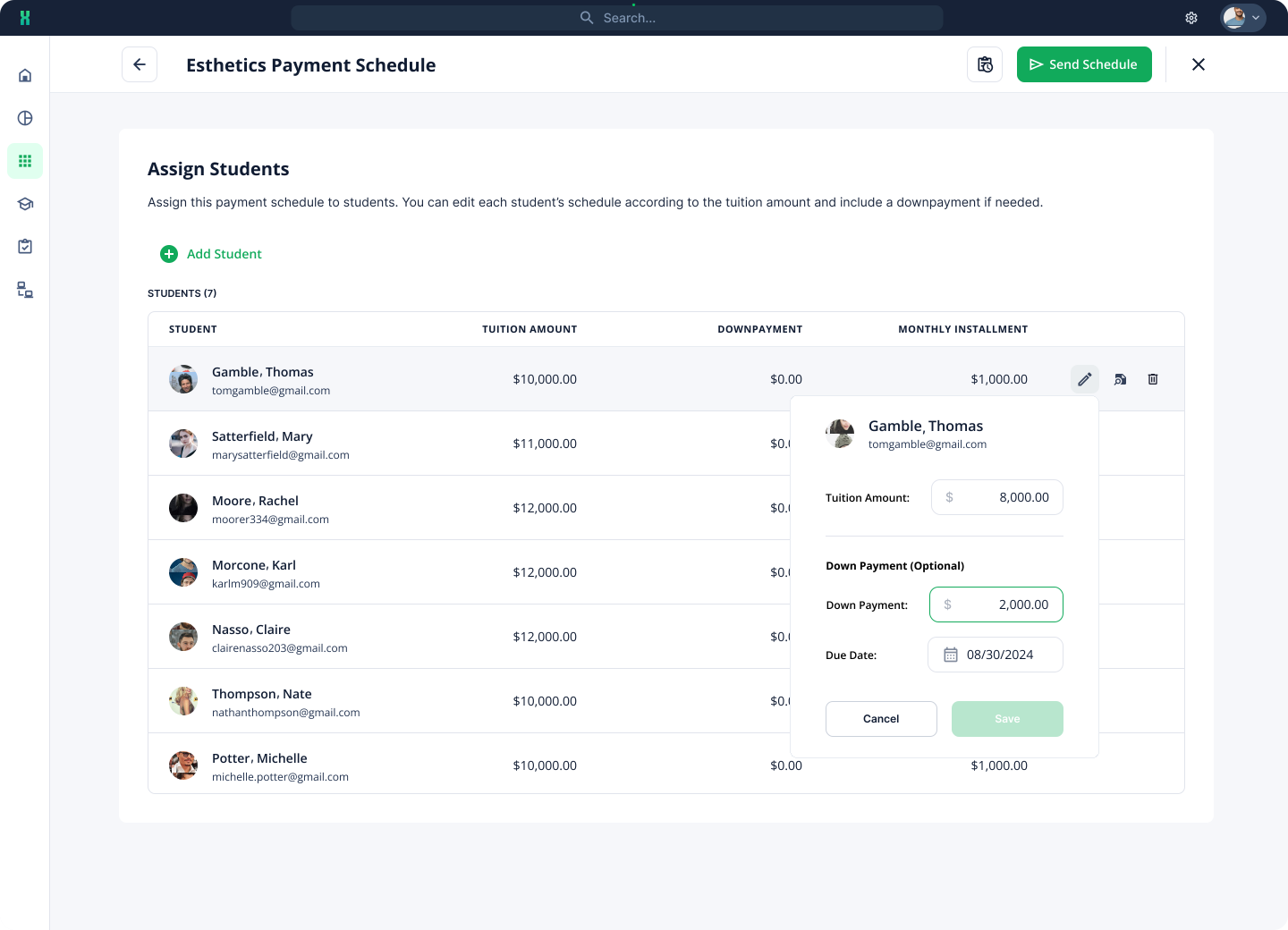
Assign Students to a payment schedule
Administrators can now bulk add students to a payment schedule and easily customize each individual schedule afterward.
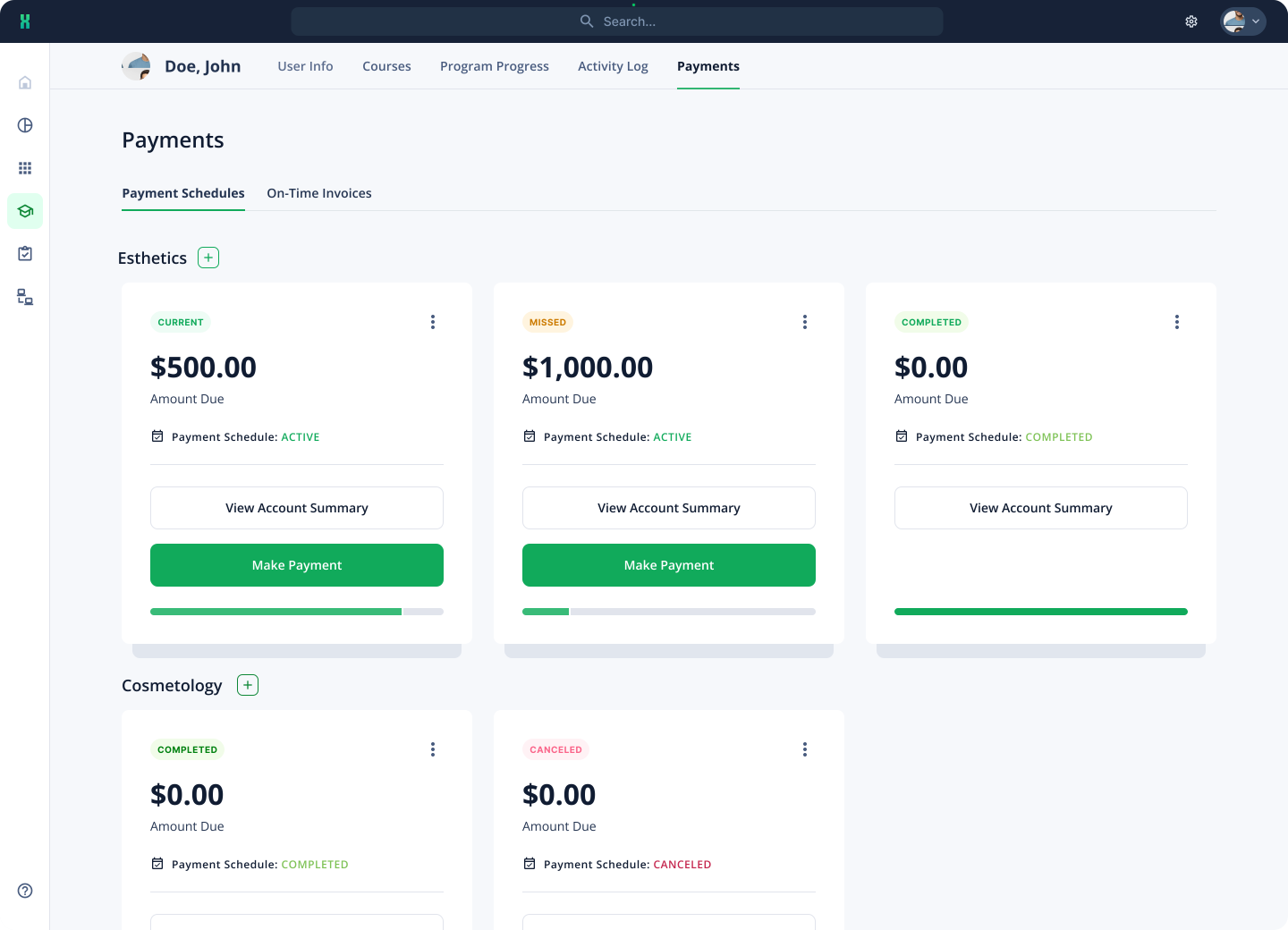
Multiple Payment Schedules
Students can now have multiple overlapping payment schedules, allowing them to make smaller payments at a time if needed.
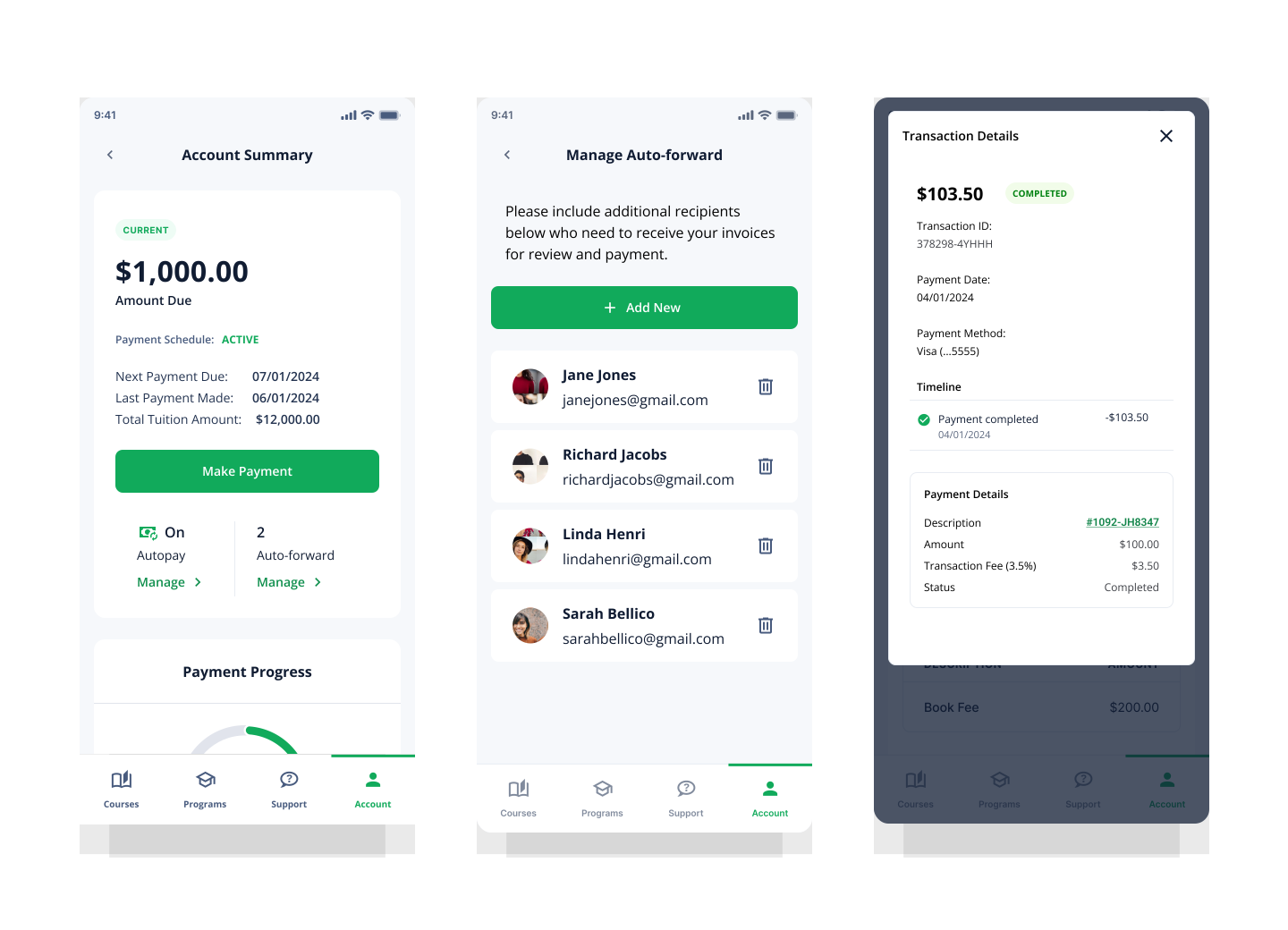
Auto-Forwarding & Transactions
Students can now add parents or guardians to their auto-forwarding, so they’ll automatically receive the payment link whenever an invoice is due.
Achieving Project Goals
Within three months post launch we reached:
cARR
decrease in support tickets related to payment schedule creation
of all payment schedules are now created using bulk import and templates
Reflections & Growth
Multi-School Management
Always prioritize associating features with a school, as administrators frequently manage multiple schools simultaneously and need the ability to assign tasks to specific schools. Delaying the implementation of multi-school functionality can overcomplicate the feature, so moving forward, I will begin designs with the assumption that multiple schools must be managed from the start.
Mobile Impact Awareness
Initially, we focused on managing multiple payment schedules for administrators, with less attention on how the update would impact the student mobile app. However, we found that the changes to the app were more extensive than expected. Going forward, we will ensure that all requirements for the student mobile side are fully scoped out.