Payments Product
ROLE
Timeline
Team
1 Designer, 1 Product Manager, 6 Engineers
My Role
As the sole product designer for this project, I was responsible for the end-to-end design process, including conducting user research, performing usability testing, and creating wireframes and prototypes. I led the design efforts independently, ensuring a seamless and user-centered experience throughout.
The Challenge
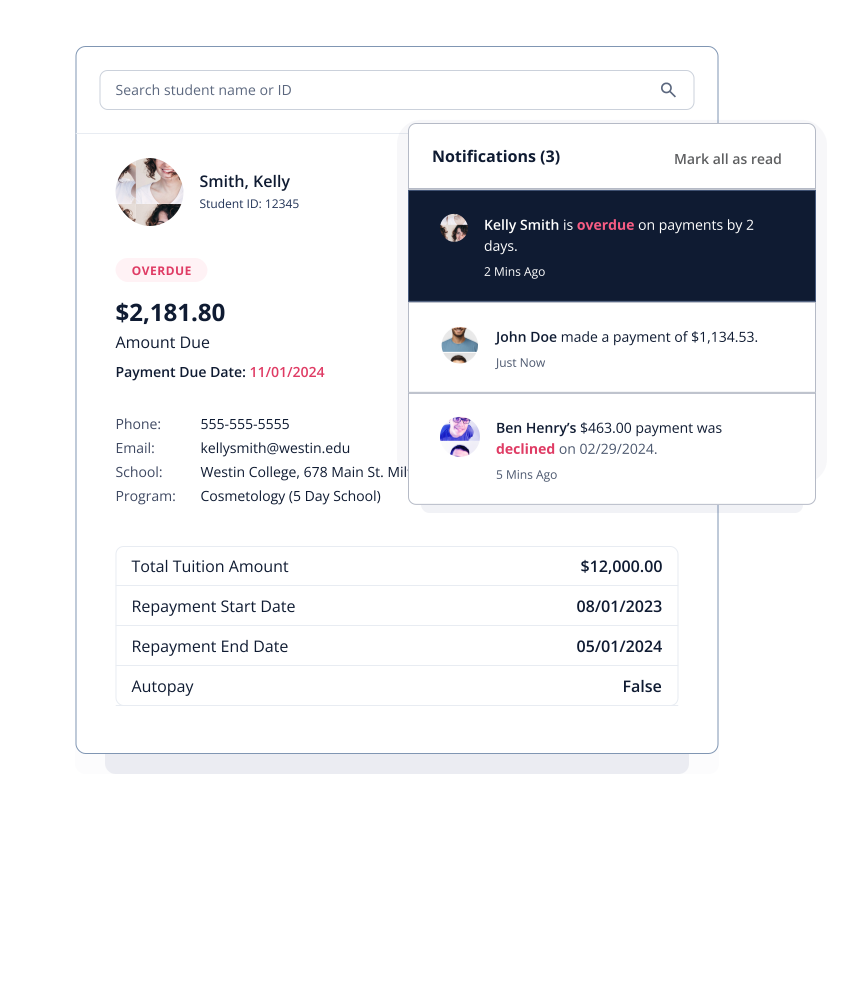
Trade schools rely on manual processes for payment tracking, leaving students without visibility into their balances and due dates. Financial Aid Administrators spend hours weekly managing reports, chasing payments, and updating records without automated tools.
The Solution
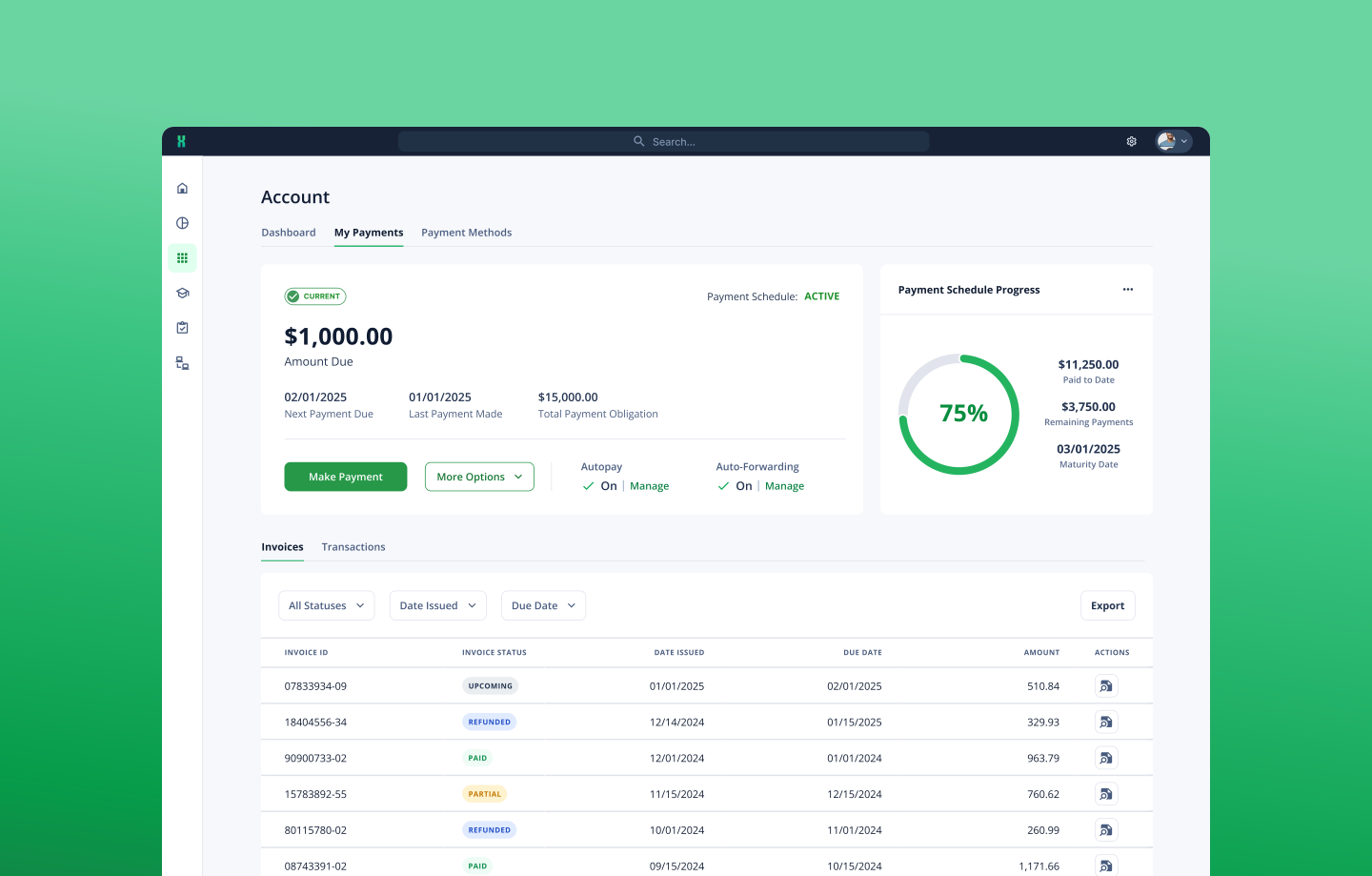
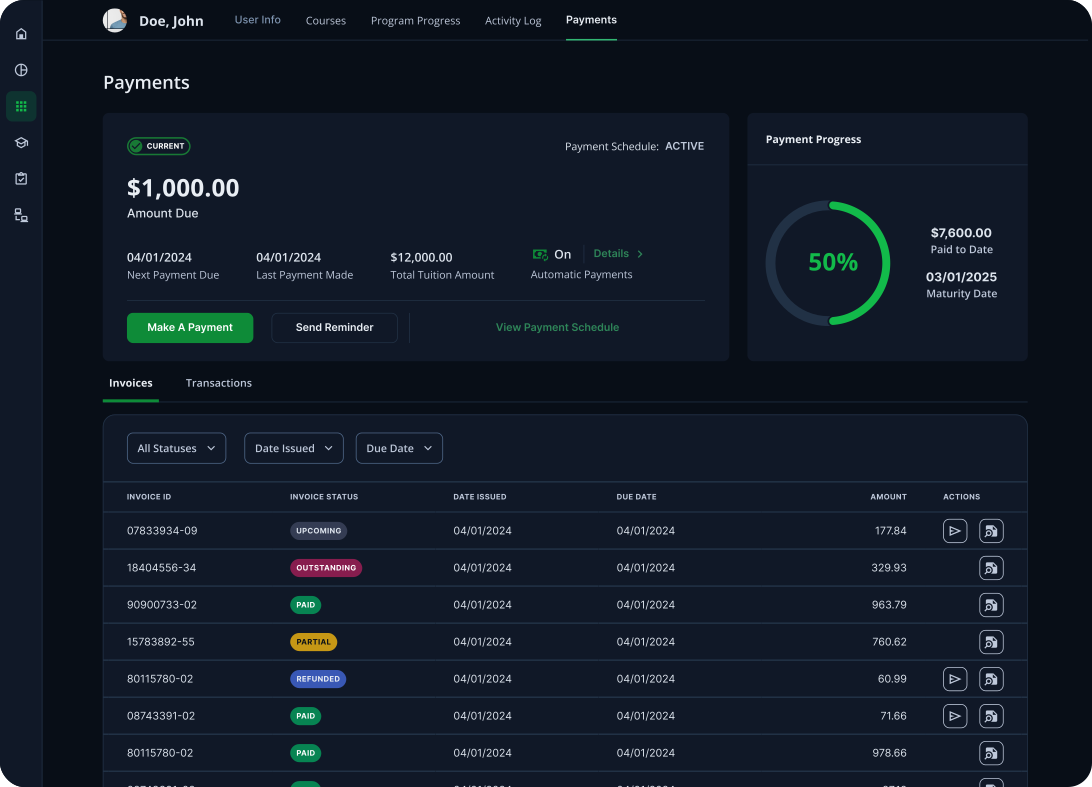
We implemented a payment solution that allows admins to create, edit, and track student payment schedules while forecasting upcoming tuition payments. Students can pay via a mobile app, track their progress, and receive automated reminders for upcoming or past-due payments, improving both efficiency and transparency.
Discovery
The product manager and I conducted multiple in-person interviews and held over 15 Zoom interviews with current clients and prospects. The interviewees included financial aid administrators, program directors, regional operations directors, and compliance directors.
Key findings:
Manual Payment Processing
Payments are processed through third-party apps, and data must be manually entered into student ledgers, creating inefficiencies and potential for errors.
Payment Automation Gaps
There are no automated systems to track delinquent payments or send reminders, requiring administrators to manually contact students for updates.
Limited Account Visibility
Students do not have clear visibility into their account balances or upcoming payment due dates, making it harder for them to stay on top of their financial obligations.
Time-Intensive Admin Tasks
Financial Aid Administrators spend significant time—around 4-5 hours per week reviewing financial reports and 3 hours manually collecting and processing payments.
Navigating the Experience
After our initial user research, we began by mapping out the user flow for how students would make payments through the platform.

Early-Stage Layouts
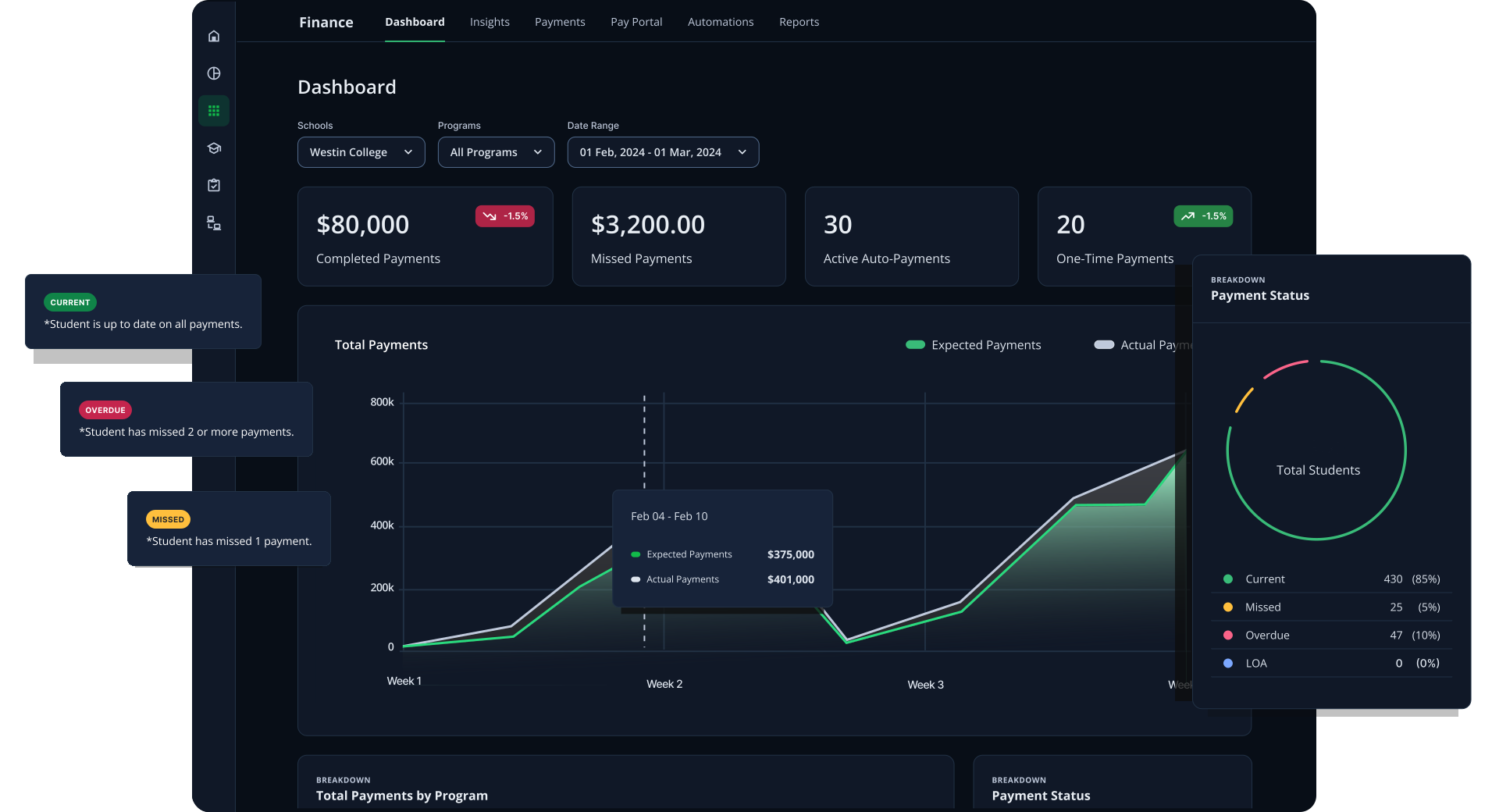
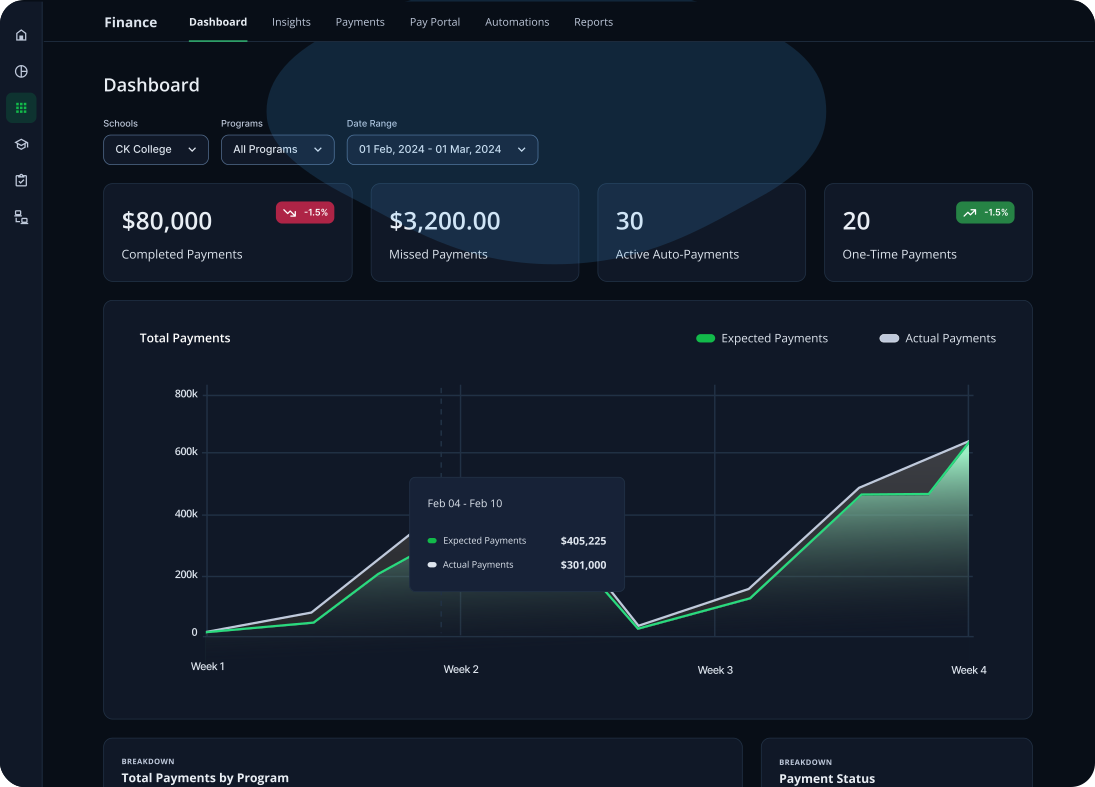
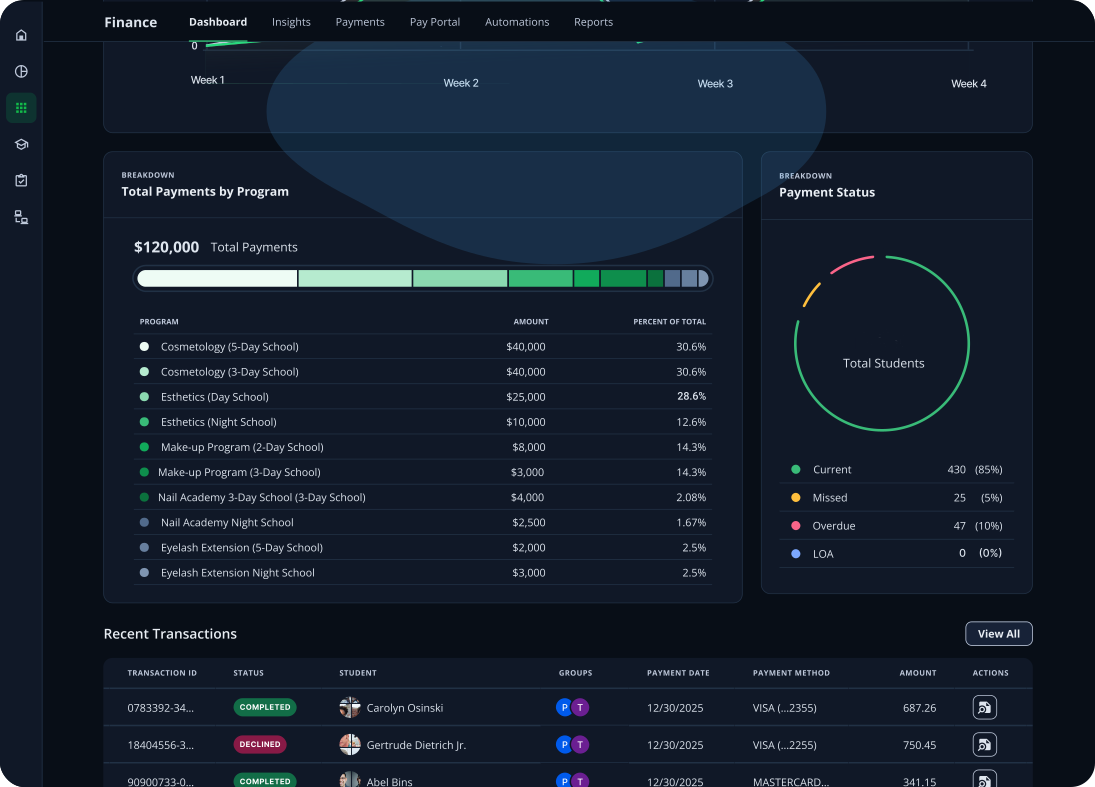
After finalizing the user flows for student payments and admin processing, I began designing the student mobile app and admin dashboard. This included iterating on how admins would create payment schedules, how students would make payments, and what admins would see in their payment dashboard.
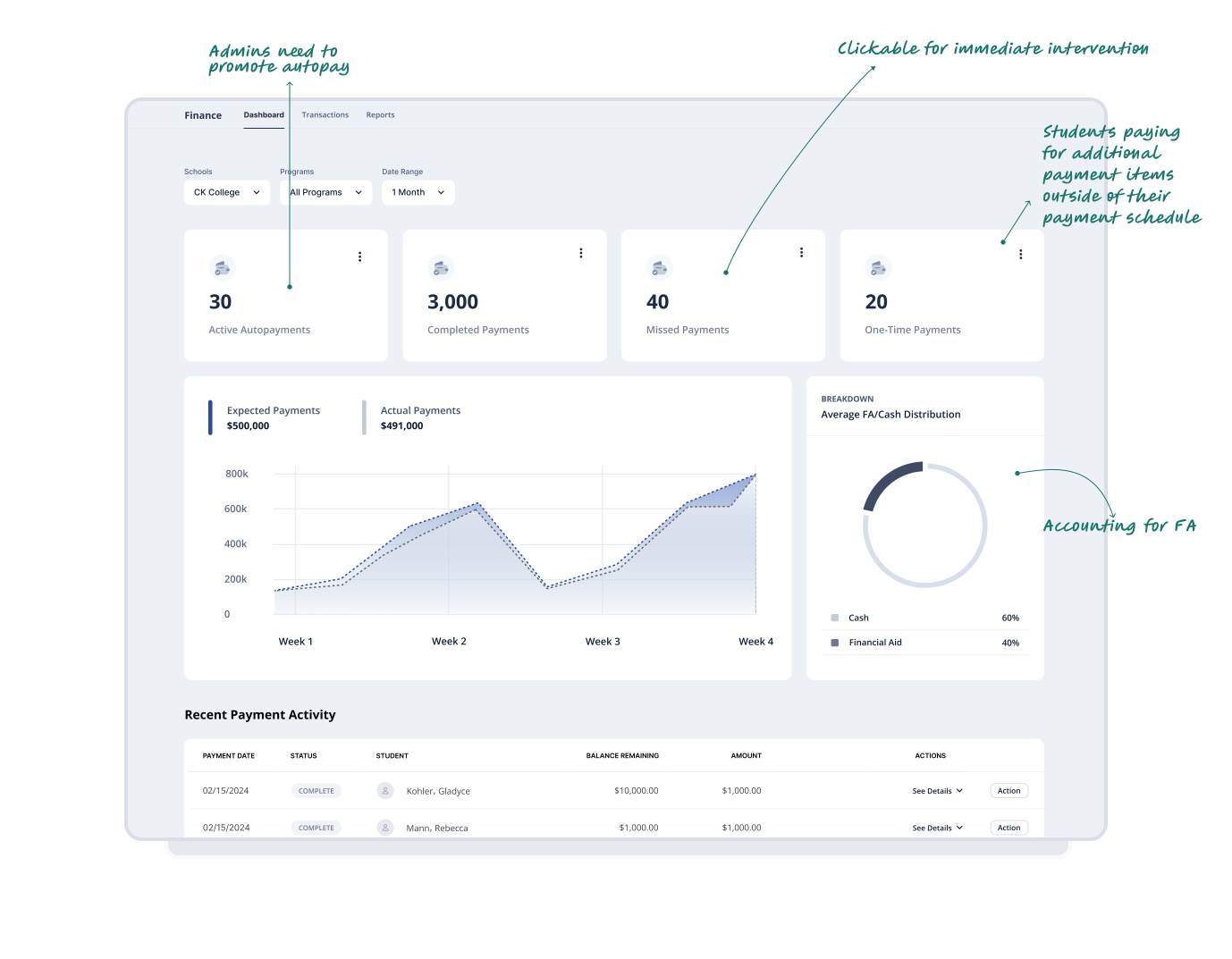
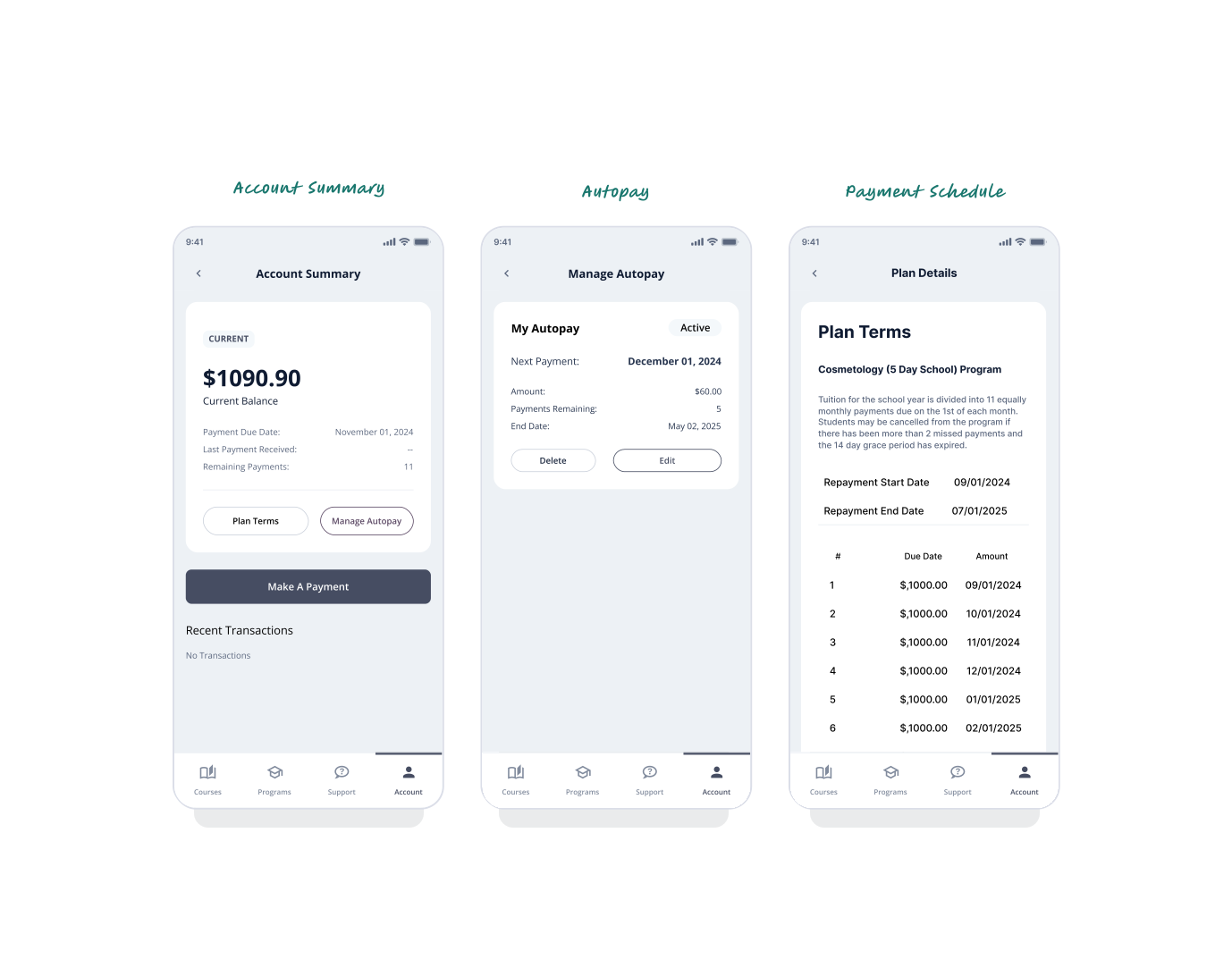
Designs in Motion
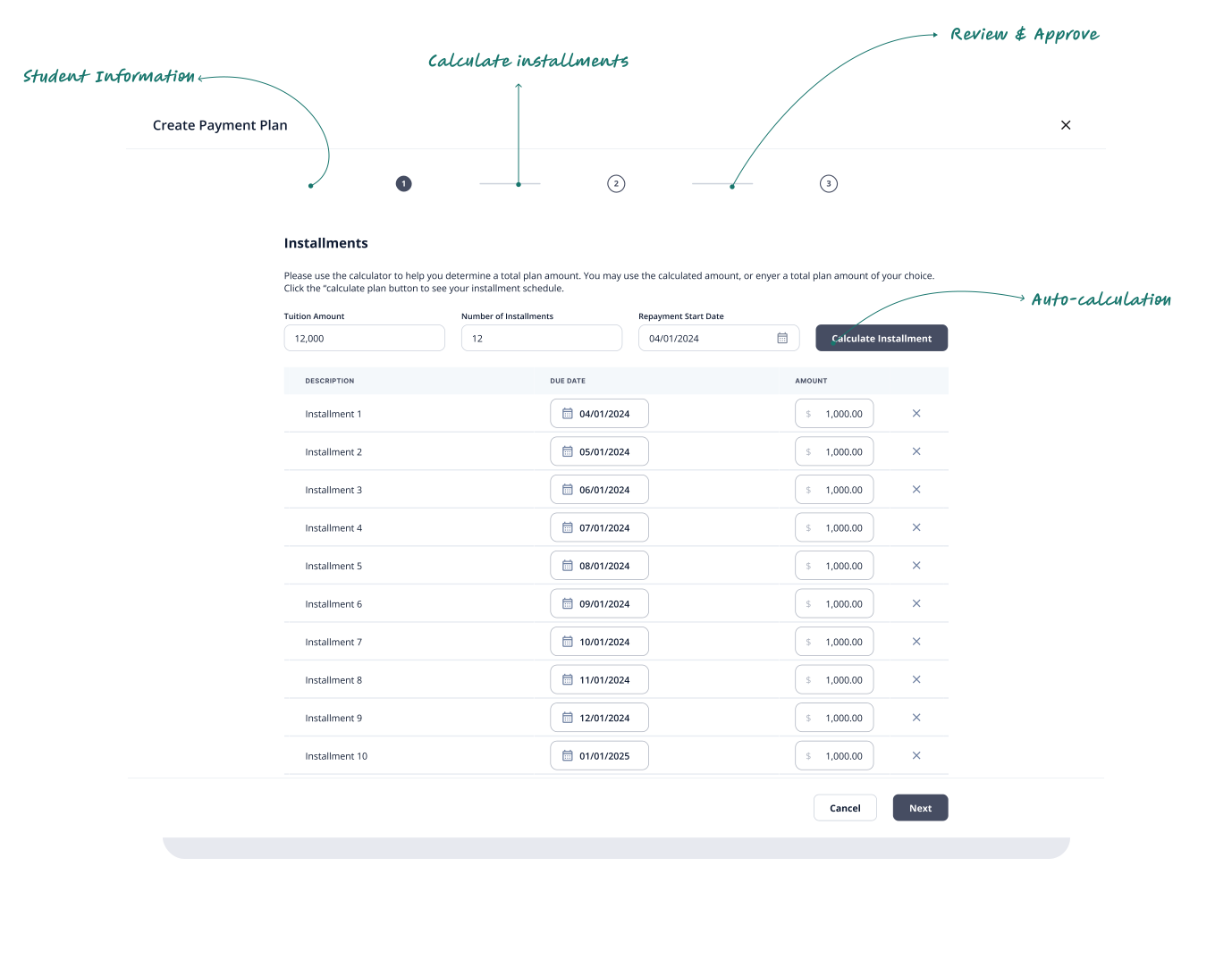
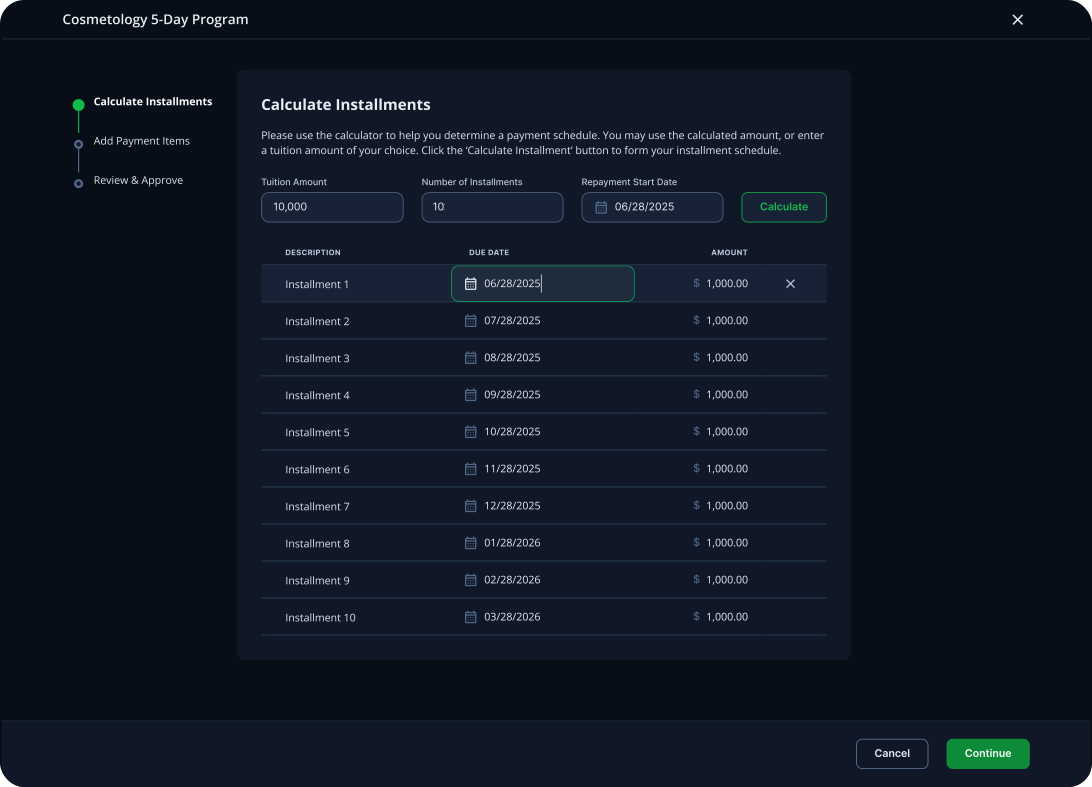
I created a few prototype versions of the payment schedule setup, incorporating insights from our user interviews. I streamlined the process for admins by outlining clear steps—calculating installments, adding payment items, and including a review stage—to help reduce cognitive load.
Testing & Validation
We reconvened with the users we initially spoke to during the discovery phase to validate the prototypes.
Actions based on findings:
New Payment Items Section
Added a Payment Items section for admins to customize additional items.
Recalculation of Installments
Enabled automatic recalculation of installments when creating or editing the payment schedule.
Edit Payment Schedules
Added the ability for admins to edit payment schedules, enabling them to add items, adjust amounts, and change due dates after creation.
End Result
I incorporated the enhancements identified during user testing in the final designs, which generated excitement among customers.
Payment Schedule
Designed a stepper for the payment schedule creation to minimize cognitive load for administrators
Payment Schedule
Designed a stepper for the payment schedule creation to minimize cognitive load for administrators
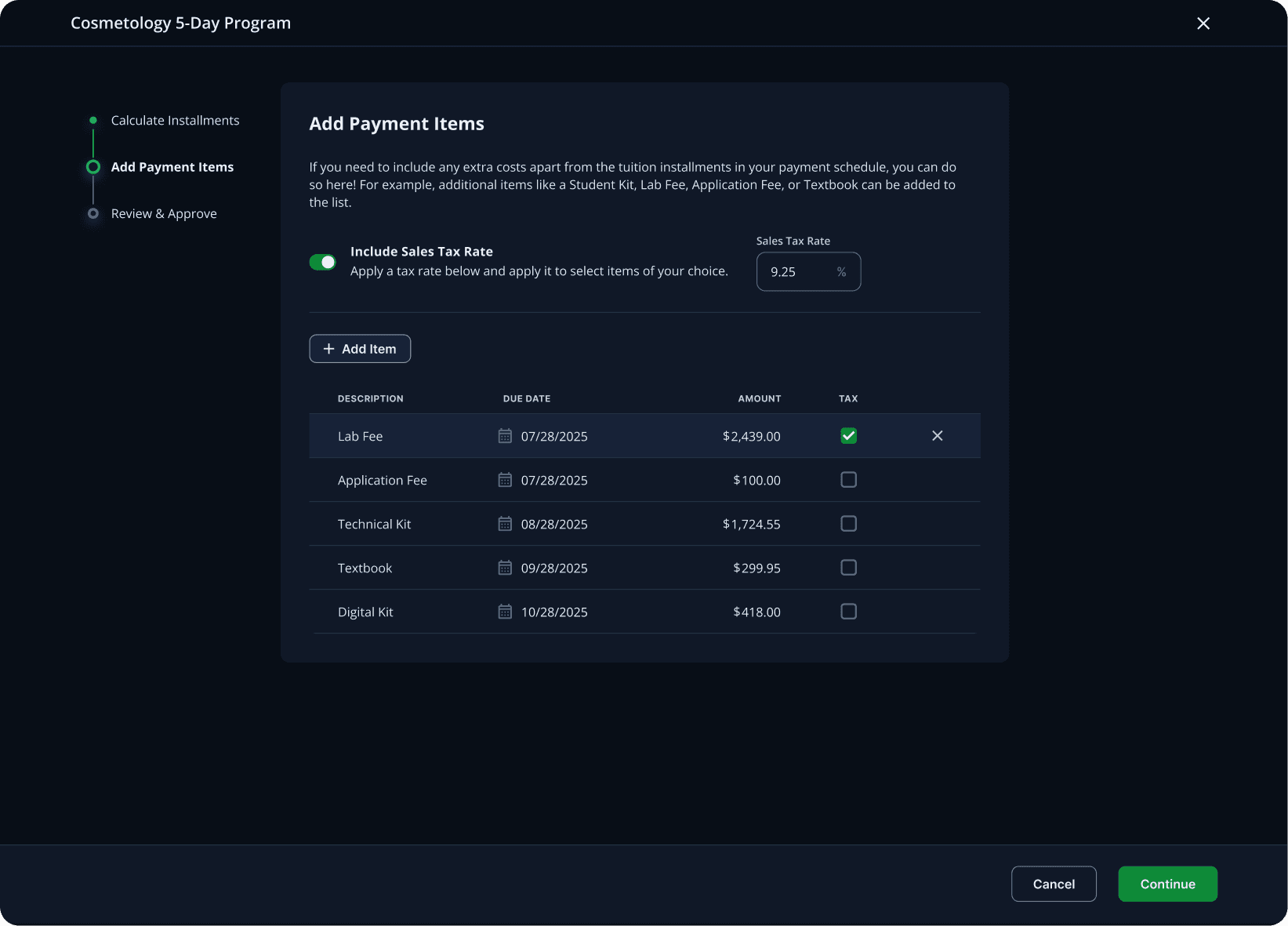
Payment Schedule
Designed a stepper for the payment schedule creation to minimize cognitive load for administrators
Payment Schedule
Designed a stepper for the payment schedule creation to minimize cognitive load for administrators
Payment Schedule
Designed a stepper for the payment schedule creation to minimize cognitive load for administrators
Payment Schedule
Designed a stepper for the payment schedule creation to minimize cognitive load for administrators

Achieving Project Goals
Three months post launch, the Payments project has exceeded all expectations.
cARR
reduced missed payments
hours weekly reclaimed by admins

Ken Peterson
PMTS
We are beginning to get all the students into the portal and they are very happy to have Payments on their app and be able to send the invoice to their parents. I am loving the backend reports and how much more streamlined the process is.

Rebecca Watts
PMTS
We are seeing 2x the revenue from the previous month and ZERO missed payments since launching the Payments product. Thank you!
Reflections & Growth
Don’t overcomplicate the user interface
When we began the project, we overlooked the possible scenario of students being enrolled in multiple programs, each with its own payment schedule, because we mainly communicated with administrators who focused on students being in just one program at a time. I was able to quickly develop a user flow that allows the creation of separate payment schedules for each program. However, moving forward, we should dedicate more time to user discovery, particularly for large projects like this one.